Healthcare SEO Expert – Saad Ahmed Turk

The Complete Guide to SEO for Medical Practices in 2026

Saad Ahmed Turk

SEO for medical practices is the process of improving a clinic or doctor’s visibility on search engines like Google, etc., and LLMs like ChatGPT, Gemini, you name it. so that local patients can find, trust, and book appointments without relying on paid advertising.

It includes six core areas:

  • Technical SEO > site speed, mobile-friendliness, and Core Web Vitals
  • On-Page Optimization > keywords, titles, and content structure
  • Local SEO > Google Business Profile, citations, and the Map Pack
  • Content Strategy > patient-focused articles, FAQs, and condition guides
  • E-E-A-T > demonstrating medical expertise, credentials, and trust signals
  • Reviews & Reputation > generating and managing patient feedback

According to research, 77% of patients search online before booking a doctor, and the top 3 Google results capture 75% of all clicks. For medical practices in 2026, SEO is no longer optional, it is the most cost-effective, long-term channel for sustainable patient growth.

What is SEO for Medical Practices and why do you need it in 2026?

Every day, your ideal patients are searching for a doctor just like you on Google.

The question is: will they find you or your competitor down the street?

Here’s a reality check: 72% of patients use Google as their first step when looking for a new doctor. If your practice isn’t showing up on page one of Google, you’re essentially invisible to thousands of potential patients in your area.

I’m Saad Ahmed Turk, and I’ve spent the last 5 years helping over dozens of medical practices rank higher on Google and attract more patients organically. I’ve seen family doctors triple their patient intake, dentists fill their appointment books 6 weeks out, and specialists become the go-to experts in their cities, all without spending a fortune on Google Ads.

In this guide, I’m going to show you exactly how to do the same for your practice.

Here’s what you’ll learn:

  • Why SEO is more valuable than paid advertising for medical practices
  • The 12 proven strategies that actually move the needle
  • How to dominate local search results and appear in the Google Map Pack
  • Common mistakes that are killing your rankings (and how to fix them)
  • A 90-day action plan to get you started
Let’s dive in.

Why Your Medical Practice Needs SEO (Not Just Paid Ads)

Most doctors I talk to rely on three things to get patients: referrals, insurance networks, and paid Google Ads.

Here’s the problem with that approach:

  • Referrals are unpredictable. You can’t control when they come or if they ever will.
  • Insurance networks limit who can find you and often mean lower reimbursement rates.
  • Paid ads work, but only while you’re paying. The moment you stop writing checks, the traffic stops. Plus, healthcare advertising costs are through the roof. In major cities, a single click can cost $50-$100 for competitive specialties like plastic surgery or orthopedics.

SEO is different.

When you invest in SEO, you’re building an asset. Your rankings improve over time. Your website becomes a patient-generating machine that works 24/7, 365 days a year, without ongoing ad spend.

Think of it this way: paid ads are like renting patients. SEO is like owning them.

The Numbers Don’t Lie

Let me share some statistics that show why SEO matters:

  • 77% of patients search online before booking an appointment
  • Google processes 70,000 health-related searches every minute
  • The top 3 Google results get 75% of all clicks
  • Only 0.44% of searchers ever click to page 2 of Google results
  • 58% of medical searches happen on mobile devices

Here’s what this means for you: if you’re not in the top 3-5 results on Google, you might as well not exist online.

The Real ROI of Medical SEO

Let me give you a real example from my work.

Last year, I worked with an orthopedic surgeon in Phoenix. Before we started, he was spending $8,000 per month on Google Ads and getting about 40 consultation requests monthly. His cost per acquisition was roughly $200 per patient.

After 6 months of focused SEO work, here’s what happened:

  • His organic search traffic increased by 340%
  • He was ranking #1-3 for 47 different keywords
  • Consultation requests jumped to 110 per month
  • His cost per acquisition dropped to $73

He still runs some ads, but he cut his ad budget in half because organic search brings in most of his patients now. That’s an extra $48,000 per year he’s keeping in his pocket.

That’s the power of SEO.

“I’ve worked with over 200 medical practices, and the ones that invest in SEO consistently outperform those spending thousands on Google Ads. Why? Because SEO builds trust, and patients want to trust their doctor before they even walk through the door.”
— Saad Ahmed Turk, Healthcare Digital Marketing Strategist

How Long Does Medical SEO Take?

Let’s be honest: SEO isn’t a quick fix. Anyone who promises you first-page rankings in 30 days is lying.

Here’s a realistic timeline based on my experience:

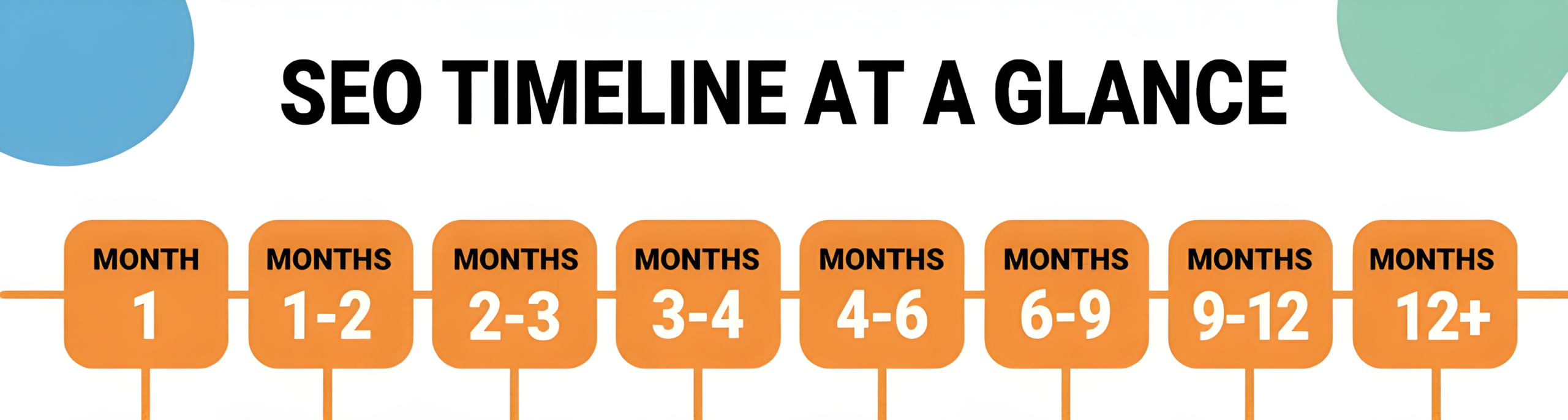
  • Months 1-3: Foundation building, technical fixes, content creation (minimal traffic increase)
  • Months 4-6: You start seeing movement—rankings improve, traffic increases by 30-50%
  • Months 7-12: Real results kick in—significant traffic growth, more appointment requests
  • Month 12+: Compounding returns—your rankings stabilize at the top, consistent patient flow

The practices that win are the ones that commit to the long game. SEO is a marathon, not a sprint.

Now that you understand why SEO matters, let’s talk about how patients actually search for doctors online.

How Patients Actually Search for Doctors (Understanding Search Intent)

Before we dive into tactics, you need to understand how your patients think when they’re typing into Google.

I see doctors making the same mistake over and over: they optimize their website for terms that sound good to them, not for what patients actually search.

For example, a cardiologist might focus on ranking for “interventional cardiology services” because that’s technically accurate. But guess what? Patients don’t search like that. They search for “chest pain won’t go away” or “heart specialist near me.”

The Patient Journey

Patients don’t go from Google search to booked appointment in one step. They go through stages:

Stage 1: Awareness (“Something’s wrong”)

  • Searches: “constant headaches for 3 weeks,” “knee pain when climbing stairs”
  • Intent: Understanding what’s happening
  • Content needed: Educational articles, symptom guides

Stage 2: Research (“What are my options?”)

  • Searches: “best treatment for migraines,” “physical therapy vs surgery for torn meniscus”
  • Intent: Exploring treatment options
  • Content needed: Treatment comparison guides, procedure explanations

Stage 3: Evaluation (“Who should I see?”)

  • Searches: “top neurologist in Boston,” “orthopedic surgeon reviews near me”
  • Intent: Finding the right doctor
  • Content needed: Doctor bios, patient reviews, credentials

Stage 4: Decision (“I’m ready to book”)

  • Searches: “Dr. Smith appointment,” “orthopedic surgeon accepting new patients”
  • Intent: Making an appointment
  • Content needed: Easy booking options, contact information

Your SEO strategy needs to cover all four stages. Most practices only optimize for Stage 4, which means they’re missing 75% of potential patients.

The Three Types of Medical Searches

Understanding search intent is crucial. Here are the three main types:

1. Emergency/Urgent Searches

  • “urgent care near me open now”
  • “emergency dentist 24 hours”
  • “walk-in clinic Sunday”

These searchers need help NOW. They’re looking at the Map Pack and calling the first practice they see.

2. Informational Searches

  • “what causes lower back pain in women”
  • “when to see a dermatologist for moles”
  • “is physical therapy worth it for shoulder pain”

These searchers are in education mode. They’re not ready to book yet, but this is your chance to build trust and position yourself as the expert.

3. Transactional Searches

  • “book family doctor appointment online”
  • “pediatrician accepting new patients Chicago”
  • “cosmetic dentist consultation”

These are high-intent searches. These people are ready to become patients. You need to rank for these.

Mobile vs. Desktop: A Critical Difference

Here’s something most practices miss: 63% of medical searches happen on mobile devices, and mobile searchers behave differently than desktop users.

Mobile searchers want:

  • Quick answers
  • Click-to-call buttons
  • Easy-to-read content (no tiny text)
  • Fast loading pages
  • Immediate access to your address and directions

If your website takes more than 3 seconds to load on mobile, or if your phone number isn’t prominently displayed, you’re losing patients.

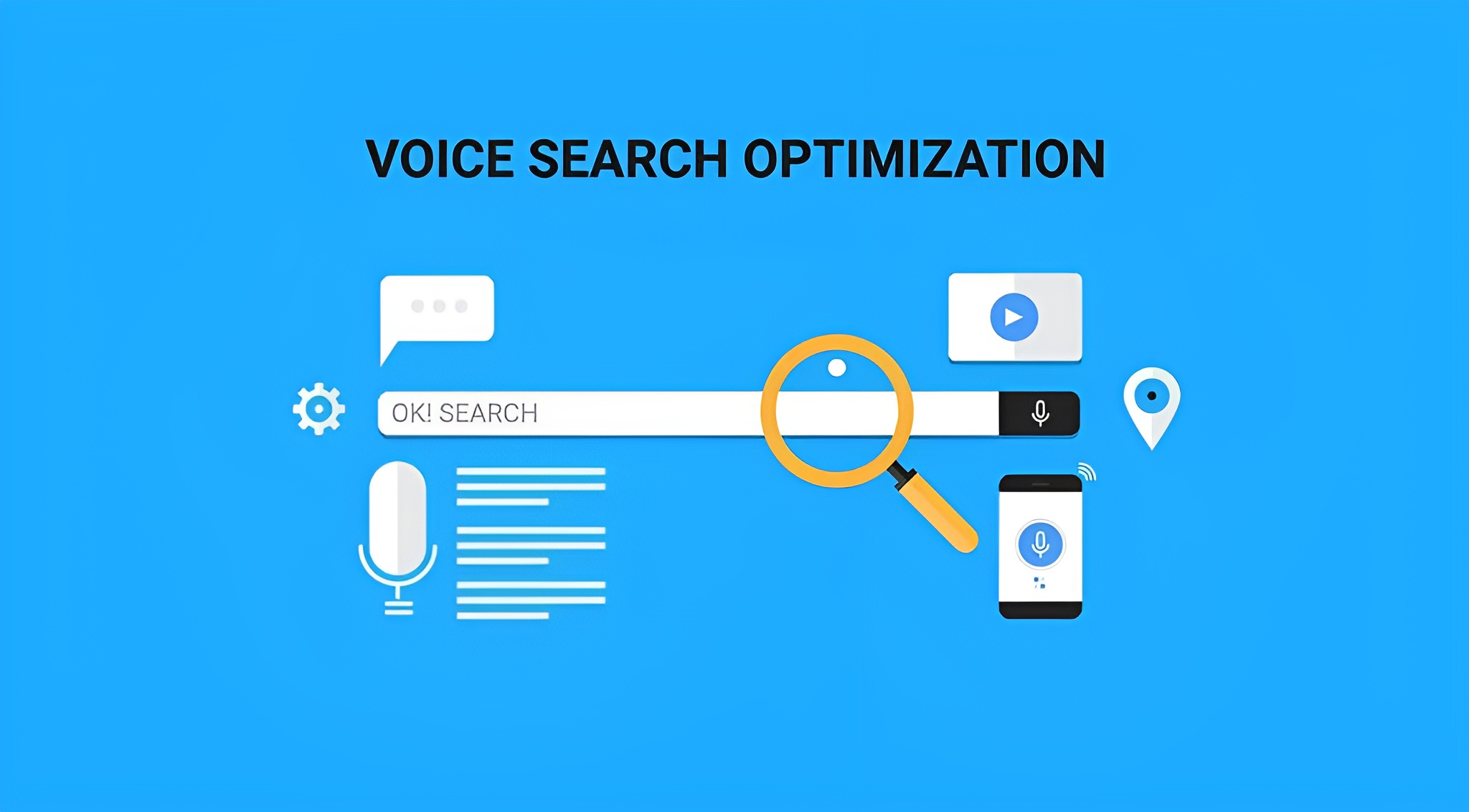
Voice Search: The Growing Trend

More people are using Siri, Alexa, and Google Assistant to find doctors. Voice searches are different:

Typed: “dentist Chicago”
Voice: “Hey Siri, find me a dentist near me that’s open right now”

Voice searches are:

  • Longer and more conversational
  • Question-based (“How do I…” “What causes…” “Where is…”)
  • Often local (“near me,” “close by,” “open now”)

We’ll cover voice search optimization in detail later, but keep this in mind as you plan your content strategy.

“Most doctors optimize for what they think patients search for, not what they actually search for. I always tell my clients: spend an hour on Google Trends and Answer the Public before writing a single piece of content.”
— Saad Ahmed Turk

Now that you understand how patients search, let’s talk about the strategic framework that makes SEO work.

The Medical SEO Pyramid: Your Strategic Framework

Over my years working with medical practices, I’ve developed a framework I call the Medical SEO Pyramid. It shows you exactly where to focus your efforts and in what order.

Think of building your SEO like constructing a house. You wouldn’t put a roof on before building the foundation and walls, right? The same principle applies here.

Here’s how the pyramid works, from bottom to top:

Foundation Level: Technical SEO

This is your base. If your technical foundation is broken, nothing else matters.

Technical SEO includes:

  • Site speed and performance
  • Mobile-friendliness
  • SSL certificate (HTTPS)
  • Crawlability and indexing
  • Site architecture
  • Core Web Vitals

Why it matters: If Google’s bots can’t properly crawl and understand your website, you won’t rank. Period.

Time investment: 2-4 weeks to fix critical issues

Second Level: On-Page Optimization

This is about optimizing the content and structure of your individual pages.

On-page SEO includes:

  • Title tags and meta descriptions
  • Header tags (H1, H2, H3)
  • URL structure
  • Image optimization
  • Internal linking
  • Keyword placement

Why it matters: This tells Google what each page is about and helps it rank for the right searches.

Time investment: Ongoing, but initial optimization takes 3-4 weeks

Third Level: Content Strategy

Creating valuable content that answers patient questions and targets keywords.

Content includes:

  • Blog articles
  • Service pages
  • Condition guides
  • FAQ pages
  • Patient resources

Why it matters: Quality content attracts links, engages visitors, and positions you as an authority.

Time investment: Ongoing—plan for 2-4 pieces of content monthly


Fourth Level: Link Building

Getting other reputable websites to link back to yours.

Link building includes:

  • Medical directory listings
  • Local news mentions
  • Guest posting
  • HARO opportunities
  • Community involvement

Why it matters: Backlinks are like votes of confidence. They tell Google your site is trustworthy.

Time investment: Ongoing—aim for 5-10 quality links per month

Fifth Level: Local SEO

Optimizing for local searches and the Google Map Pack.

Local SEO includes:

  • Google Business Profile optimization
  • Local citations (NAP consistency)
  • Location pages
  • Local content
  • Reviews management

Why it matters: Most medical searches have local intent. If you’re not showing up locally, you’re invisible.

Time investment: Initial setup 2-3 weeks, then weekly maintenance

Top Level: Reviews & Reputation

Building and managing your online reputation across platforms.

Reputation management includes:

  • Collecting patient reviews
  • Responding to all reviews
  • Monitoring multiple platforms
  • Addressing negative feedback
  • Showcasing testimonials

Why it matters: Reviews influence both rankings and patient decisions. 94% of patients read reviews before choosing a doctor.

Time investment: Daily review monitoring and responses

“Think of SEO like building a house. You wouldn’t put a roof on before building walls, right? The same goes for SEO. Fix your technical foundation first, or everything else will crumble.”
— Saad Ahmed Turk

The beauty of this pyramid is that each level supports the one above it. You can’t skip levels and expect results.

Now let’s dive into the specific strategies that will move your practice up the rankings

The 12 Proven Medical SEO Strategies That Actually Work

Okay, enough theory. Let’s get into the actionable strategies that will get you ranking and bring patients to your door

Strategy #1: Fix Your Technical Foundation (Or Nothing Else Matters)

  • Your Shopify theme plays a critical role in SEO, impacting site speed, mobile optimization, and user experience.
  • Top Shopify themes like Be Yours, Palo Alto, Broadcast, Expanse, Turbo, Prestige, and Impulse offer excellent SEO features, ensuring your store ranks high while delivering a great user experience.
  • Along with choosing the right theme, be sure to implement other SEO best practices, such as optimizing images, using schema markup, improving mobile responsiveness, and creating valuable content.

In 2024 & beyond, success in e-Commerce isn’t just about having the best products it’s about having the best foundation to support your digital marketing efforts yes you must need to think out of box as old tactics doesn’t work anymore. With the right theme and SEO strategy, you’ll be well on your way to dominating the search rankings and growing your online store.

Why Technical SEO Matters

  • Google’s crawlers are like robots that visit your website and report back about what they find. If these robots encounter problems, like slow loading times, broken links, or confusing site structure, they’ll rank you lower or ignore your site completely.

    Here’s the truth: 53% of mobile users abandon websites that take longer than 3 seconds to load. That’s more than half your potential patients clicking the back button before they even see your content.

The Technical SEO Checklist

  • 1. Site Speed (Critical)

    Your website needs to load fast. Really fast.

    Target: Under 3 seconds on mobile, under 2 seconds on desktop

    How to test:

    What to aim for:

    • Mobile score: 90+
    • Desktop score: 95+

    Quick fixes if your site is slow:

    • Compress your images (use TinyPNG or ShortPixel)
    • Enable browser caching
    • Use a Content Delivery Network (CDN) like Cloudflare
    • Minimize CSS and JavaScript files
    • Remove unused plugins (if you’re on WordPress)
    • Upgrade your hosting (cheap hosting = slow sites)

    2. Mobile-Friendliness (Non-Negotiable)

    More than 60% of medical searches happen on phones. If your site looks broken on mobile, you’re toast.

    How to test:

    Mobile checklist: ✅ Text is readable without zooming
    ✅ Buttons are big enough to tap easily
    ✅ Content fits the screen (no horizontal scrolling)
    ✅ Phone number is clickable (tap to call)
    ✅ Forms are easy to fill out on mobile
    ✅ Navigation menu works smoothly

    3. Core Web Vitals (Google’s Official Ranking Factor)

    Google measures three specific user experience metrics:

    LCP (Largest Contentful Paint): How long does it takes for the main content to load

    • Target: Under 2.5 seconds
    • Fix: Optimize images, reduce server response time

    FID (First Input Delay): How quickly your site responds to user interaction

    • Target: Under 100 milliseconds
    • Fix: Minimize JavaScript, optimize code

    CLS (Cumulative Layout Shift): How much elements move around while loading

    • Target: Under 0.1
    • Fix: Set image dimensions, don’t inject content above existing content

    You can check all three in Google Search Console under “Core Web Vitals.”

    4. HTTPS Security (Required)

    Your website URL must start with “https://” not “http://”. Google penalizes sites without SSL certificates, especially for medical content.

    How to check: Look at your URL in the browser. You should see a padlock icon.

    How to fix: Contact your web hosting company and ask them to install an SSL certificate. Most hosting plans include this for free.

    5. Mobile-First Indexing

    Google now uses the mobile version of your website for ranking purposes, not the desktop version.

    What this means: Your mobile site needs to have the same content as your desktop site. Don’t hide content or features on mobile.

    6. XML Sitemap

    This is like a roadmap that tells Google all the pages on your website.

    How to create one:

    • If you use WordPress: Use Yoast SEO plugin (it creates one automatically)
    • If not: Use a free sitemap generator like XML-Sitemaps.com

    How to submit it:

    • Go to Google Search Console
    • Click “Sitemaps” in the left menu
    • Enter your sitemap URL (usually yoursite.com/sitemap.xml)
    • Click “Submit”

    7. Fix Broken Links

    Broken links (404 errors) frustrate users and hurt your SEO.

    How to find them:

    How to fix them:

    • Update the link to the correct URL
    • Or redirect the broken URL to a relevant page

    8. Site Structure and Navigation

    Google and your patients should be able to find any page on your site within 3 clicks from the homepage.

    Good structure:

    Homepage
      ├── About Us
      ├── Services
      │     ├── Primary Care
      │     ├── Urgent Care
      │     └── Preventive Care
      ├── Our Doctors
      ├── Blog
      ├── Appointments
      └── Contact
    

    Bad structure: Deep nesting, orphan pages, confusing menus

Tools You Need (All Free)

    • Google Search Console: Monitor your site’s performance
    • Google PageSpeed Insights: Check your speed
    • Google Mobile-Friendly Test: Check mobile optimization
    • Screaming Frog: Crawl your site for technical issues (free up to 500 URLs)

Real-World Example

    • I worked with a family practice in Dallas whose website took 11 seconds to load on mobile. ELEVEN SECONDS. We compressed their images, upgraded their hosting, and removed unnecessary plugins. The site now loads in 2.3 seconds.

      The result? Organic traffic increased by 67% in 90 days simply because people stopped bouncing immediately.

      “Most medical websites I audit fail on mobile speed. One client’s site took 9 seconds to load on mobile. After optimization, it dropped to 2.1 seconds, and organic traffic jumped 43% in 60 days.”
      — Saad Ahmed Turk

      Common Technical Mistakes I See

      ❌ Using huge, uncompressed images (3MB+ file sizes)
      ❌ Too many plugins slowing down the site
      ❌ Cheap hosting that can’t handle traffic
      ❌ Not having an SSL certificate
      ❌ Mobile site missing key information
      ❌ Ignoring Core Web Vitals warnings

      Fix your technical foundation first. It's not sexy, but it's necessary. You can write the best content in the world, but if your site is slow and broken, nobody will see it.


Strategy #2: Master Keyword Research (Find What Patients Actually Type)

Keywords are the words and phrases your potential patients type into Google when they’re looking for healthcare services.

If you target the wrong keywords, you’ll rank for searches that don’t bring you patients. If you target the right keywords, you’ll attract people who are ready to book appointments.

Why Keyword Research Matters

Let me tell you about a dermatologist I worked with. She was creating tons of content about “dermatological treatments” and “cutaneous procedures.” Very medical. Very proper.

Problem? Nobody was searching for those terms. Patients were searching for “acne treatment near me” and “how to get rid of wrinkles.”

Once we shifted her content to match actual patient searches, her traffic tripled in 4 months.

The lesson: Optimize for how patients search, not how doctors speak.

The 4 Types of Keywords to Target

1. High-Intent Keywords (Ready to Book)

These are people who are ready to make an appointment RIGHT NOW.

Examples:

  • “pediatrician accepting new patients near me”
  • “book dentist appointment online”
  • “urgent care open now”
  • “orthopedic surgeon consultation”

Characteristics:

  • Include words like “near me,” “book,” “appointment,” “accepting patients”
  • High conversion rate
  • Usually competitive
  • Priority: HIGH

2. Problem-Based Keywords (Early Research)

These are people who know something’s wrong but don’t know what to do yet.

Examples:

  • “constant lower back pain causes”
  • “when to see a cardiologist”
  • “toddler fever won’t go down”
  • “sharp pain behind knee when bending”

Characteristics:

  • Question-based or symptom-based
  • Informational intent
  • Great for building trust
  • Priority: MEDIUM

3. Comparison Keywords (Decision Stage)

These are people comparing their options before choosing.

Examples:

  • “Invisalign vs traditional braces”
  • “physical therapy vs surgery for torn ACL”
  • “best LASIK surgeon in Miami”
  • “HRT vs natural menopause treatment”

Characteristics:

  • Include “vs,” “best,” “top,” “compare”
  • Commercial investigation intent
  • Good conversion potential
  • Priority: MEDIUM-HIGH

4. Location-Based Keywords (Local Intent)

These are people looking for providers in their specific area.

Examples:

  • “family doctor in Brooklyn”
  • “dermatologist Manhattan Upper East Side”
  • “pediatric dentist near Central Park”
  • “walk-in clinic Downtown Phoenix”

Characteristics:

  • Include location + service
  • High local intent
  • Critical for local SEO
  • Priority: HIGH

How to Do Keyword Research (Step-by-Step)

Step 1: Brainstorm Seed Keywords

Start by listing all the services you offer and conditions you treat.

Example for a family practice:

  • Primary care
  • Annual physicals
  • Sick visits
  • Vaccinations
  • Chronic disease management
  • Diabetes care
  • High blood pressure treatment
  • Sports physicals
  • Women’s health
  • Men’s health

Step 2: Think Like a Patient

For each service, ask yourself: “How would a patient describe this?”

Doctor language: “Hypertension management”
Patient language: “High blood pressure treatment,” “how to lower blood pressure”

Doctor language: “Musculoskeletal injury assessment”
Patient language: “Sprained ankle treatment,” “pulled muscle doctor”

Always choose patient language.

Step 3: Use Free Keyword Tools

Google Keyword Planner (Free)

  • Go to ads.google.com/home/tools/keyword-planner
  • Click “Discover new keywords”
  • Enter your seed keywords
  • See search volume and related keywords

Answer the Public (Free)

  • Go to answerthepublic.com
  • Enter your main keyword
  • Get hundreds of question-based keyword ideas

Google Autocomplete

  • Start typing in Google
  • See what suggestions pop up
  • These are real searches people make

Google’s “People Also Ask” Boxes

  • Search any medical term
  • Look at the PAA questions
  • Each one is a keyword opportunity

Also Asked (Free Tool)

  • Go to alsoasked.com
  • See related questions people search
  • Great for content ideas

Step 4: Analyze Search Volume and Competition

Not all keywords are worth targeting. You want keywords that have:

Good search volume: 100-1,000 monthly searches (sweet spot for local practices)
Manageable competition: Keyword Difficulty under 40 (if you’re a new site)
Relevance: Actually related to your services

Search Volume Guide:

  • 0-100 searches/month: Too low (unless super specific to your specialty)
  • 100-1,000: Perfect for most medical practices
  • 1,000-10,000: Good but more competitive
  • 10,000+: Very competitive, hard to rank for

Step 5: Understand Search Intent

Before targeting a keyword, search it on Google and look at the results. Are the top results:

  • Service pages? (Transactional intent)
  • Blog articles? (Informational intent)
  • Directories/lists? (Comparison intent)

Match your content type to what’s already ranking.

Step 6: Create Your Keyword Map

Build a spreadsheet to organize everything:

KeywordMonthly SearchesDifficultyIntentContent TypePriority
pediatrician near me2,40045TransactionalLocation pageHigh
baby fever 10289028InformationalBlog postMedium
best pediatrician NYC72052ComparisonAbout pageHigh
when to take child to doctor1,20031InformationalFAQ pageMedium

Keyword Strategy by Page Type

Homepage Keywords:

  • Your specialty + city (e.g., “family doctor Chicago”)
  • Your name (brand keywords)

Service Pages:

  • Service + location (e.g., “teeth whitening Austin”)
  • Procedure + location (e.g., “knee replacement surgeon Dallas”)

Blog Posts:

  • Question keywords (e.g., “what causes chronic headaches”)
  • Symptom keywords (e.g., “sharp pain behind knee when bending”)
  • How-to keywords (e.g., “how to treat a sprained ankle at home”)

Doctor Bio Pages:

  • Doctor name + specialty
  • Doctor name + location
  • “About Dr. [Name]”

Location Pages (if multiple offices):

  • Specialty + neighborhood (e.g., “dentist Upper West Side”)
  • All service keywords + location

Long-Tail vs. Short-Tail Keywords

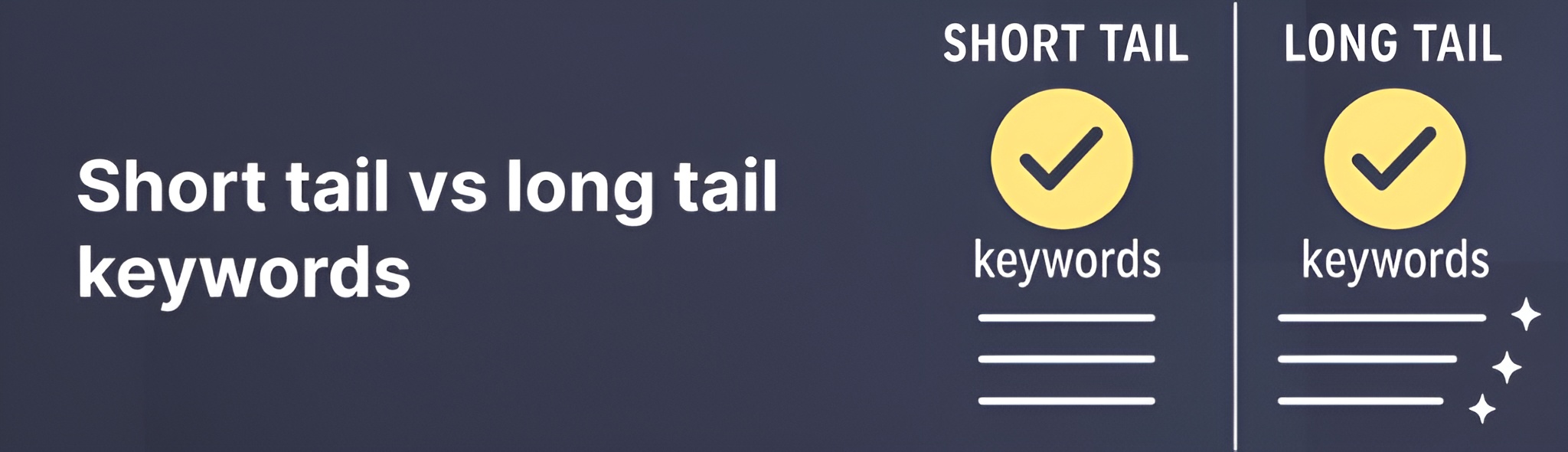
Short-tail (broad):

  • “dentist”
  • “back pain”
  • “pediatrician”

Characteristics: High search volume, very competitive, vague intent

Long-tail (specific):

  • “cosmetic dentist for veneers in Boston”
  • “chronic lower back pain treatment without surgery”
  • “pediatrician accepting Medicaid in Queens”

Characteristics: Lower search volume, less competitive, clear intent, higher conversion

Strategy: Target mostly long-tail keywords. They’re easier to rank for and bring more qualified patients.

Tools and Resources

Free Tools:

  • Google Keyword Planner
  • Google Autocomplete
  • Google Trends
  • Answer the Public
  • Also Asked
  • Ubersuggest (limited free searches)

Paid Tools (Worth It):

  • Semrush ($129/month) – My #1 recommendation
  • Ahrefs ($99/month) – Best for backlink analysis
  • Moz ($99/month) – User-friendly interface

Real-World Example

I worked with a physical therapist who was targeting “physical therapy” (260,000 monthly searches, impossible to rank for).

We shifted focus to:

  • “physical therapy for frozen shoulder” (880 searches/month)
  • “PT for runners knee” (590 searches/month)
  • “vestibular physical therapy near me” (320 searches/month)

Within 6 months, she ranked #1-3 for 23 long-tail keywords. Her organic traffic increased by 340%, and she started getting 15-20 new patient inquiries per month from Google.

“I see doctors making the same mistake repeatedly: they target keywords that are too competitive. A new practice trying to rank for ‘best cardiologist’ nationally? Good luck. Instead, focus on ‘cardiologist for young adults in Austin’—specific, winnable, and valuable.”
— Saad Ahmed Turk

Common Keyword Mistakes

❌ Targeting keywords with no search volume
❌ Using medical jargon instead of patient language
❌ Only focusing on high-competition keywords
❌ Ignoring location-based keywords
❌ Not considering search intent
❌ Keyword stuffing (using keywords unnaturally)

Pro Tip: Spend a week just listening to how your patients describe their problems. The words they use are your best keywords.


Strategy #3: Create Content That Answers Real Patient Questions

Content is the engine that drives your SEO. Without quality content, you have nothing to rank.

But here’s the thing: most medical content online is terrible. It’s either too technical (written for other doctors), too generic (could apply to any practice), or just not helpful.

Your goal is to create content that genuinely helps patients while also ranking on Google.

Why Content Matters for SEO

Every piece of content you create is an opportunity to:

  • Rank for keywords patients are searching
  • Build trust and establish expertise
  • Answer questions patients have
  • Generate backlinks from other websites
  • Keep people on your site longer (which helps SEO)

Google’s algorithm prioritizes helpful, well-written content. The more valuable content you publish, the more Google sees you as an authority.

The Types of Content That Rank

1. Ultimate Guides (2,500-4,000 words)

These are comprehensive, in-depth articles that cover everything about a topic.

Examples:

  • “The Complete Guide to Managing Type 2 Diabetes”
  • “Everything You Need to Know About Knee Replacement Surgery”
  • “The Ultimate Guide to Choosing the Right Birth Control”

Why they work:

  • Rank for dozens of related keywords
  • Earn backlinks naturally
  • Position you as an expert
  • Keep visitors on your site longer

2. FAQ Articles (1,500-2,500 words)

Answer common patient questions in one place.

Examples:

  • “10 Most Common Questions About Root Canals (Answered)”
  • “Pediatric Vaccine Questions: What Parents Need to Know”
  • “Your Top Questions About Physical Therapy, Answered”

Why they work:

  • Easy to write (you answer these questions daily)
  • High search volume for question keywords
  • Great for voice search
  • Helpful for patients

3. Condition/Symptom Pages (1,200-2,000 words)

Deep dives into specific health conditions.

Examples:

  • “Chronic Lower Back Pain: Causes, Symptoms, and Treatment Options”
  • “Understanding Seasonal Allergies: A Complete Guide”
  • “Plantar Fasciitis: What It Is and How to Treat It”

Why they work:

  • Target high-volume symptom keywords
  • Attract patients researching their symptoms
  • Demonstrate medical knowledge
  • Opportunity to showcase your treatment approach

4. Procedure Pages (1,000-1,500 words)

Explain what patients can expect during and after procedures.

Examples:

  • “What to Expect During Your First Chiropractic Adjustment”
  • “Colonoscopy Prep and Procedure: A Step-by-Step Guide”
  • “Getting Dental Implants: The Complete Process”

Why they work:

  • Reduce patient anxiety
  • Target procedure-specific keywords
  • Show you’re patient-focused
  • Convert researchers into appointments

5. Comparison Articles (1,500-2,000 words)

Help patients understand their treatment options.

Examples:

  • “Physical Therapy vs. Pain Medication for Chronic Back Pain”
  • “Invisalign vs. Traditional Braces: Which is Right for You?”
  • “Natural Birth vs. Epidural: Making the Right Choice”

Why they work:

  • Target “vs” keywords (high intent)
  • Help patients make informed decisions
  • Show you respect patient autonomy
  • Demonstrate expertise in multiple approaches

6. “When to See a Doctor” Posts (800-1,200 words)

Help patients understand when they need professional care.

Examples:

  • “When Should You See a Doctor for Back Pain?”
  • “5 Signs Your Child’s Fever Requires Medical Attention”
  • “Is Your Headache a Migraine or Something Serious?”

Why they work:

  • Address patient concerns
  • Create urgency (when appropriate)
  • Build trust by being helpful, not salesy
  • Convert readers into patients

The Content Formula That Works

Here’s the structure I use for almost every medical article:

1. Hook (First 100 words)

  • Address the patient’s concern immediately
  • Show empathy
  • Promise what they’ll learn

Example:
“Waking up with lower back pain every morning is more than just annoying—it can affect everything you do. If you’ve been dealing with chronic back pain, you’re not alone. Over 80% of adults experience back pain at some point in their lives. The good news? Most back pain is treatable without surgery. In this guide, you’ll learn what causes chronic back pain, when to see a doctor, and what treatment options actually work.”

2. What Is [Condition/Procedure]? (200-300 words)

  • Simple definition
  • Who it affects
  • How common it is
  • Basic overview

3. Symptoms to Watch For (300-400 words)

  • List of common symptoms
  • When symptoms indicate something serious
  • What’s normal vs. concerning

4. Causes and Risk Factors (300-500 words)

  • Common causes
  • Risk factors
  • Why this happens
  • Preventive measures

5. Diagnosis (200-300 words)

  • How doctors diagnose this
  • What to expect at your appointment
  • Common tests or exams

6. Treatment Options (400-600 words)

  • Conservative treatments
  • Medical treatments
  • Surgical options (if applicable)
  • Your specific approach
  • Recovery expectations

7. When to See a Doctor (200-300 words)

  • Clear guidelines
  • Warning signs
  • What to do in emergencies
  • How to schedule with your practice

8. FAQ Section (300-500 words)

  • 5-10 common questions
  • Short, direct answers
  • Use FAQ schema markup

9. Call-to-Action (100-150 words)

  • Invite them to schedule
  • Make it easy (link to booking page)
  • Mention your availability
  • Provide phone number

Writing Tips for Better Medical Content

1. Write at an 8th Grade Reading Level

Most Americans read at an 8th grade level. Medical jargon confuses people.

Instead of: “The patient presents with acute myocardial infarction”
Write: “You’re having a heart attack”

Instead of: “Hypertension can lead to cardiovascular complications”
Write: “High blood pressure can damage your heart”

Tool: Use Hemingway Editor (free) to check reading level

2. Use Short Sentences and Paragraphs

  • Keep sentences under 20 words when possible
  • Break up paragraphs every 3-4 sentences
  • Use white space generously
  • Makes content easier to scan

3. Add Personal Stories and Examples

Generic: “Many patients experience relief after physical therapy.”

Better: “Maria came to our office barely able to walk due to knee pain. After 8 weeks of physical therapy, she completed her first 5K race.”

Stories make your content memorable and relatable.

4. Include Data and Statistics

Weak: “Back pain is common.”

Strong: “Over 80% of adults will experience back pain at some point in their lives, according to the National Institutes of Health.”

Data builds credibility and trust.

5. Use Conversational Tone

Write like you’re talking to a friend, not lecturing.

Formal: “It is recommended that one should…”
Conversational: “You should…”

Formal: “One must consider…”
Conversational: “Think about…”

6. Add Visuals Every 300-400 Words

  • Original photos of your office/staff
  • Diagrams explaining conditions
  • Infographics with quick facts
  • Before/after images (with permission)
  • Videos of you explaining concepts

7. Optimize Every Article for SEO

✅ Primary keyword in first 100 words
✅ Primary keyword in H1 (title)
✅ Related keywords in H2 and H3 subheadings
✅ Internal links to 3-5 other pages on your site
✅ External links to 2-3 authoritative sources (.gov, .edu, medical journals)
✅ Alt text on all images
✅ Meta description (150-160 characters)
✅ URL contains primary keyword

Content Checklist Before Publishing

Before you hit publish, ask yourself:

✅ Does this completely answer the search query?
✅ Would I share this with a friend if they asked me this question?
✅ Is it written at an 8th grade reading level?
✅ Have I included personal expertise or examples?
✅ Is it medically accurate? (Get it reviewed by a licensed physician)
✅ Are there any grammar or spelling errors?
✅ Does it include images or visuals?
✅ Is it properly formatted with headers?
✅ Have I included a clear call-to-action?
✅ Is it mobile-friendly?

Real-World Example

An orthopedic practice I worked with wasn’t getting much traffic. We identified that “hip replacement recovery” got 3,200 searches per month with low competition.

We wrote a comprehensive guide: “Hip Replacement Recovery: What to Expect Week by Week.” It included:

  • A week-by-week recovery timeline
  • Photos of exercises
  • Real patient testimonials
  • Warning signs to watch for
  • Tips for faster recovery

Within 3 months, it ranked #3 on Google. In the first 6 months, it brought in 89 consultation requests. One article. 89 potential patients.

That’s the power of creating genuinely helpful content.

“One orthopedic client was struggling to rank. We wrote a detailed guide: ‘How to Know If You Need Hip Replacement Surgery.’ It included symptoms, self-tests, treatment alternatives, and recovery timelines. Within 4 months, it ranked #2 for ‘do I need hip replacement’ and brought in 47 consultation requests.”
— Saad Ahmed Turk

How Often Should You Publish?

Minimum: 2 articles per month
Good: 4 articles per month
Aggressive: 8+ articles per month

Quality beats quantity. One well-researched 3,000-word guide is better than five rushed 500-word posts.

Content Ideas for Different Specialties

Primary Care:

  • Common cold vs. flu: How to tell the difference
  • When to go to urgent care vs. emergency room
  • Annual physical: What to expect
  • Managing chronic conditions at home

Pediatrics:

  • Childhood vaccination schedule explained
  • When to worry about your child’s fever
  • Developmental milestones by age
  • Managing picky eaters

Dentistry:

  • How often should you really floss?
  • Teeth whitening: Professional vs. at-home
  • What to expect during a root canal
  • Signs you need to see a dentist immediately

Orthopedics:

  • ACL tear: Surgery or conservative treatment?
  • How to know if you need joint replacement
  • Recovery timelines for common procedures
  • Preventing sports injuries

Dermatology:

  • Skin cancer warning signs
  • Acne treatment options that actually work
  • When to see a dermatologist for a mole
  • Anti-aging treatments: What works, what doesn’t

Common Content Mistakes

❌ Writing for other doctors, not patients
❌ Publishing thin content (under 500 words)
❌ Not updating old content
❌ Ignoring search intent
❌ No clear call-to-action
❌ Keyword stuffing
❌ Plagiarizing or copying content
❌ No medical review process

Pro Tip: Keep a “content ideas” list on your phone. Whenever a patient asks a great question, add it to the list. Your patients are telling you exactly what content to create.

Strategy #4: Nail Your E-E-A-T (Experience, Expertise, Authority, Trust)

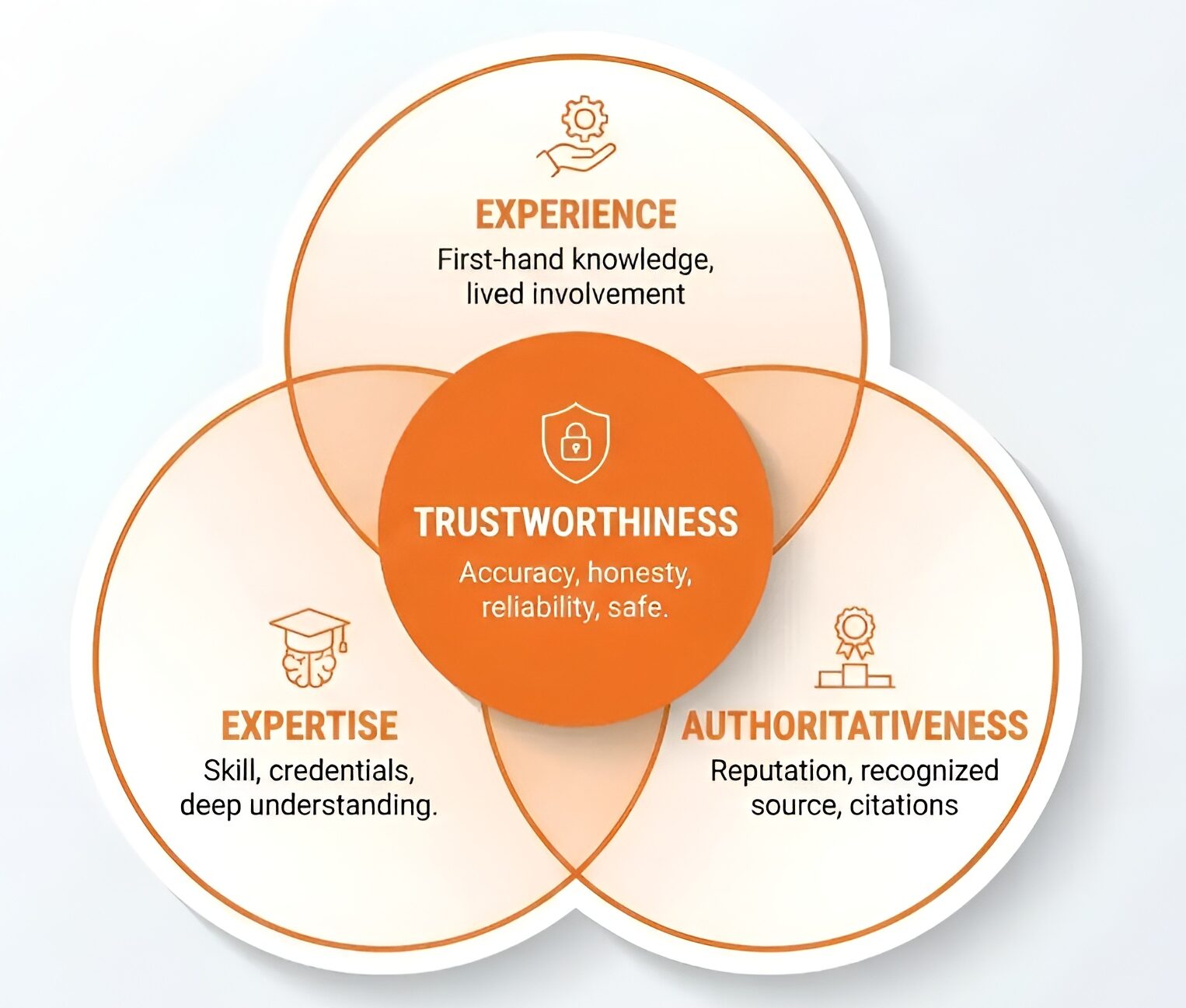
Google has special quality standards for medical content. It’s called E-E-A-T, and it can make or break your rankings.

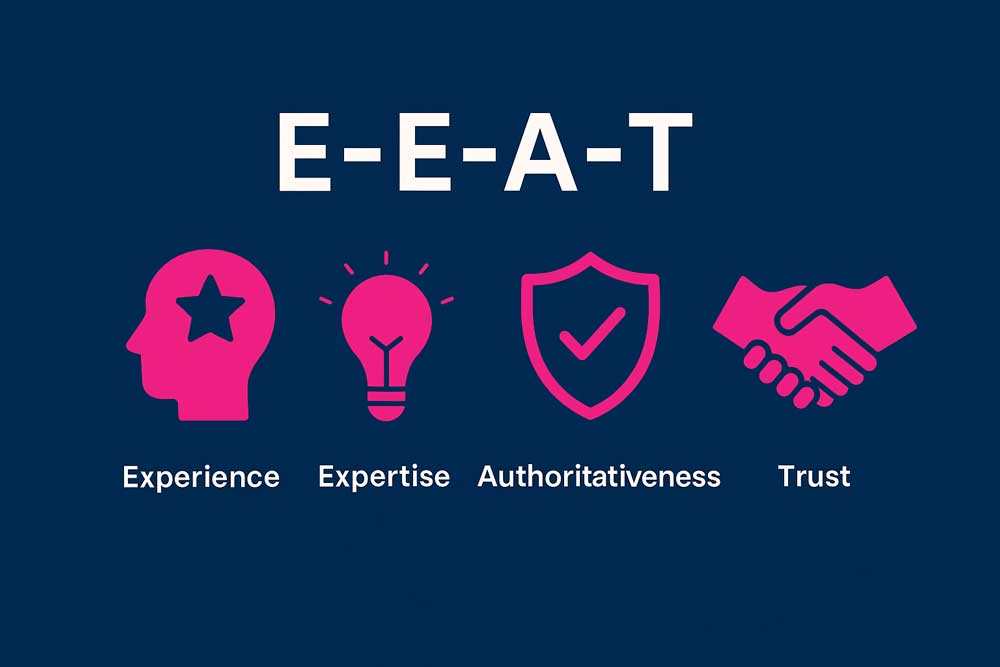
E-E-A-T stands for:

  • Experience (firsthand experience with the topic)
  • Expertise (credentials and qualifications)
  • Authoritativeness (recognition in your field)
  • Trustworthiness (accuracy and transparency)

Why E-E-A-T Matters for Medical Sites

Google classifies medical content as “Your Money or Your Life” (YMYL). That means bad medical advice could seriously harm people, so Google is extra careful about what health content it ranks.

If your website doesn’t demonstrate strong E-E-A-T signals, Google won’t rank you—period. You could have the best content in the world, but without credibility markers, you’re invisible.

I’ve seen practices lose 60-80% of their traffic overnight after Google algorithm updates because they didn’t have proper E-E-A-T signals in place.

The 4 E-E-A-T Factors Explained

1. EXPERIENCE

This is about showing real-world experience treating patients.

How to demonstrate experience:

  • Share case studies (with patient permission)
  • Include before/after examples
  • Mention how many patients you’ve treated
  • Display years in practice
  • Share patient success stories
  • Talk about your clinical experience

Example: “Dr. Johnson has performed over 2,000 successful knee replacement surgeries in her 15-year career. Her patients consistently achieve full mobility within 12 weeks of surgery.”

2. EXPERTISE

This is about your medical credentials and qualifications.

How to demonstrate expertise:

  • Display all degrees prominently (MD, DO, DDS, etc.)
  • List board certifications
  • Mention specialized training
  • Show fellowship completions
  • Include teaching positions
  • Highlight published research

Example author bio:

Dr. Sarah Chen, MD, FACC

Board-certified cardiologist with 18 years of experience. Dr. Chen completed her medical degree at Johns Hopkins University, residency at Mayo Clinic, and fellowship in interventional cardiology at Cleveland Clinic. She has published 23 peer-reviewed articles in cardiology journals and serves as Clinical Professor at University Medical Center.

3. AUTHORITATIVENESS

This is about your reputation and recognition in your field.

How to demonstrate authority:

  • Awards and recognition
  • Speaking engagements
  • Media mentions
  • Professional association memberships
  • Leadership positions
  • Published research or books
  • Patient testimonials and reviews

Example:

  • “Voted Top Doctor by [Local Magazine] 2020-2024”
  • “Featured expert on ABC News Health Segment”
  • “Past President, American Academy of Pediatrics, Texas Chapter”

4. TRUSTWORTHINESS

This is about being transparent, accurate, and secure.

How to demonstrate trustworthiness:

  • SSL certificate (HTTPS)
  • Clear privacy policy
  • Transparent pricing when possible
  • Real patient reviews displayed
  • Professional photos (not stock images)
  • Contact information visible on every page
  • Medical disclaimer where appropriate
  • Clear “About Us” page
  • HIPAA compliance statement

How to Build E-E-A-T on Your Website

1. Create Comprehensive Author Bios

Every piece of content should have a detailed author bio.

Perfect author bio template:

**About Dr. [Name]**

[Photo - professional headshot]

Dr. [Name], [Credentials], is a board-certified [specialty] with over [X] years of experience. [He/She] graduated from [Medical School] and completed [his/her] residency at [Hospital]. 

Dr. [Name] specializes in [specific areas] and has treated over [number] patients. [He/She] is a member of [professional associations] and has been recognized as [awards/recognition].

[He/She] is passionate about [patient care philosophy or specialty interest].

**Education:**
- [Degree], [University], [Year]
- [Residency], [Hospital], [Year]
- [Fellowship], [Institution], [Year] (if applicable)

**Board Certifications:**
- [Certification 1]
- [Certification 2]

**Professional Memberships:**
- [Association 1]
- [Association 2]

2. Add “Medically Reviewed By” to All Content

Every article should be reviewed by a licensed physician.

Add this to the top of articles:

**Written by:** [Author Name], [Content Credentials]  
**Medically Reviewed by:** Dr. [Reviewer Name], MD, [Specialty]  
**Last Reviewed:** [Date]  
**Next Review Due:** [Date + 1 year]

This shows Google (and patients) that your content is medically accurate.

3. Display Trust Badges and Certifications

Put these prominently on your website:

  • Board certification logos
  • Hospital affiliation logos
  • Professional association memberships
  • Awards and recognition badges
  • Insurance provider logos
  • Better Business Bureau rating
  • Google Business Profile rating

4. Show Social Proof

Patient Testimonials: Include video testimonials if possible (way more powerful than text)

Template:

"Dr. Smith completely changed my life. I came in barely able to walk due to knee pain. After his treatment plan, I'm now hiking with my grandkids again."
— Maria L., Denver, CO
[5-star rating display]

Google Reviews: Embed your Google reviews widget on your homepage

Before/After Galleries: Show real patient results (with proper consent and HIPAA compliance)

5. Link to Authoritative Sources

When you make medical claims, back them up with links to:

  • Medical journals (PubMed)
  • Government health sites (.gov)
  • Major medical institutions (.edu)
  • CDC, NIH, Mayo Clinic, etc.

Example: “According to the American Heart Association, high blood pressure affects nearly half of American adults.” [Link to AHA source]

6. Keep Content Updated

Add a “Last Updated” date to all medical content. Update annually.

Example:

**Last Updated:** November 12, 2025
**Reviewed by:** Dr. Michael Torres, MD, Internal Medicine

Old, outdated medical information hurts your E-E-A-T.

7. Create an “About” Page That Sells Credibility

Your About page should include:

  • Your story (why you became a doctor)
  • Your credentials and training
  • Your philosophy of care
  • Your team (with photos and bios)
  • Your facility (photos)
  • Awards and recognition
  • Professional memberships
  • Years in practice
  • Community involvement

8. Implement Schema Markup

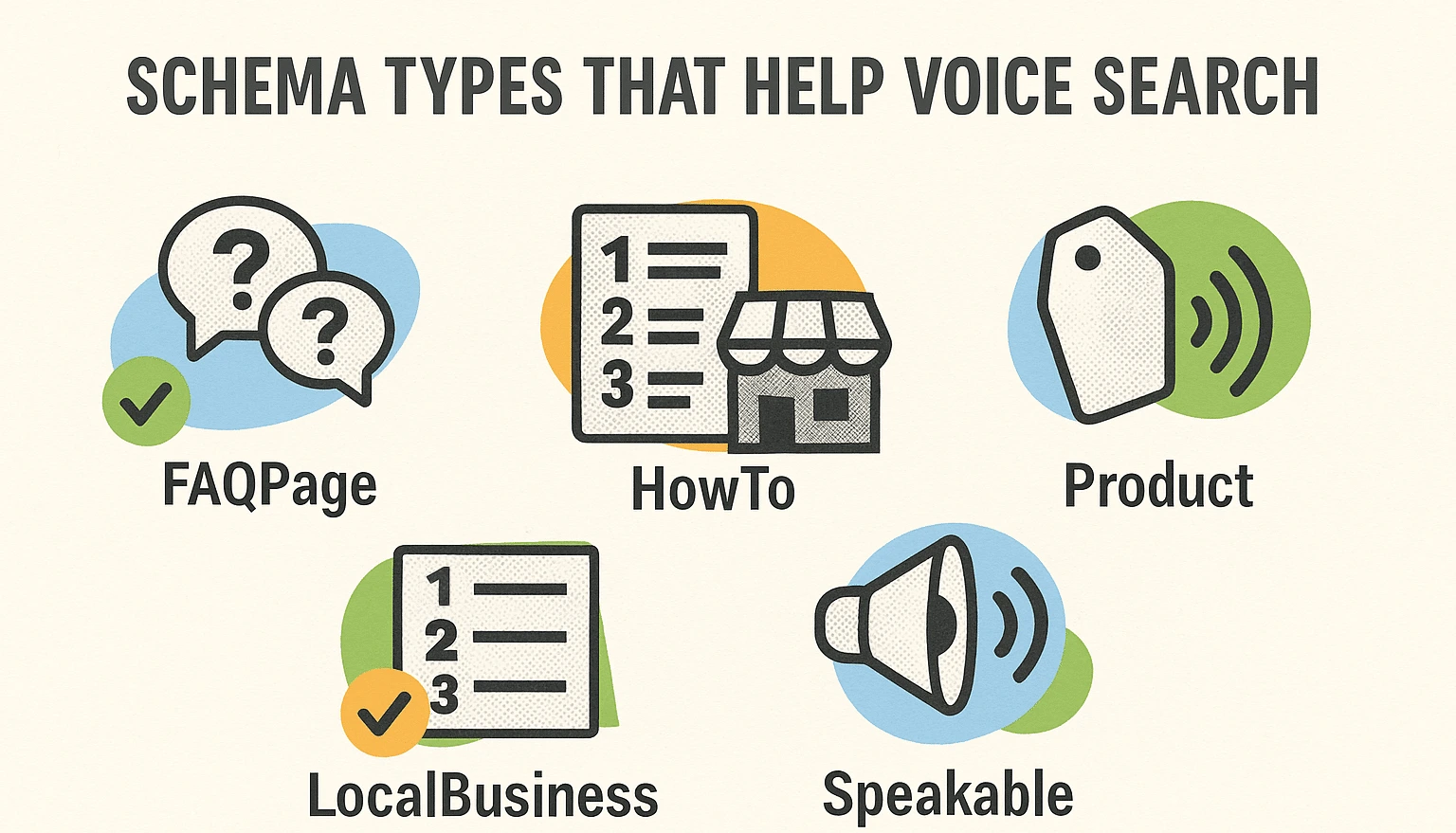
Add structured data to help Google understand your credentials:

  • Physician Schema: Your medical degrees and specialties
  • MedicalBusiness Schema: Your practice information
  • Organization Schema: Your practice as an entity
  • Review Schema: Your patient reviews

(Don’t worry if this sounds technical—your web developer can add this, or you can use schema generator tools)

What NOT to Do (E-E-A-T Killers)

❌ No author attribution on articles
❌ Content written by non-medical staff without medical review
❌ Stock photos instead of real photos of your practice
❌ No credentials displayed anywhere
❌ Outdated content from 5+ years ago
❌ No SSL certificate (HTTP instead of HTTPS)
❌ Plagiarized or duplicate content
❌ No contact information
❌ Fake reviews or testimonials
❌ Making unrealistic medical claims

“I’ve seen practices lose 60% of their organic traffic overnight because they didn’t follow E-E-A-T guidelines. Google’s algorithm updates hit medical websites hard. If you’re publishing health content without medical credentials displayed, you’re playing with fire.”
— Saad Ahmed Turk

Real-World Example

A dermatology practice I worked with had great content, but their traffic was stagnant. We did an E-E-A-T audit and found:

  • No author bios on blog posts
  • No medical review process
  • Outdated “About” page with minimal credentials
  • No professional association memberships displayed

We implemented:

  • Detailed doctor bios on every page
  • Medical review process with “Reviewed by Dr. [Name]” on all content
  • Updated About page with full credentials, awards, publications
  • Added board certification badges throughout site
  • Updated all content with review dates

Within 4 months, organic traffic increased by 156%. Several articles jumped from page 3 to page 1.

E-E-A-T isn’t optional for medical websites. It’s mandatory.

Strategy #5: Dominate Local SEO (The Map Pack Strategy)

For most medical practices, local SEO is THE most important part of your strategy.

Why? Because the vast majority of patients are looking for a doctor near them. Very few people are willing to drive an hour for routine medical care.

The Google Map Pack (also called the Local Pack) is where the magic happens. It’s those top 3 results that show up with a map when someone searches for a local service.

The Map Pack gets 44% of all clicks. If you’re not in those top 3 spots, you’re missing out on nearly half of potential patients.

Understanding the Google Map Pack

When someone searches “pediatrician near me” or “dentist Chicago,” Google shows:

  1. A map with pinned locations
  2. The top 3 businesses (Map Pack)
  3. Regular organic results below

Your goal is to get into that top 3. Here’s how.

The Local SEO Trinity

Three things determine your local rankings:

  1. Google Business Profile (25% of ranking factors)
  2. Reviews (15% of ranking factors)
  3. Citations & NAP Consistency (11% of ranking factors)

Let’s break down each one.

Part 1: Google Business Profile Optimization

Your Google Business Profile (GBP) is your most important local SEO asset.

Step 1: Claim and Verify Your Profile

  • Go to business.google.com
  • Search for your business
  • Click “Claim this business”
  • Verify via postcard, phone, or email

Step 2: Complete 100% of Your Profile

Google favors complete profiles. Don’t skip anything.

Required Information:

  • Business name (exactly as it appears in real life)
  • Full address
  • Phone number
  • Website URL
  • Category (choose carefully—this is crucial)
  • Business hours (including holidays)
  • Service areas (if you serve multiple locations)

Choose the Right Category:

Your primary category is critical. Choose the most specific option.

Examples:

  • Don’t choose: “Doctor”
  • Do choose: “Pediatrician” or “Family Practice Physician”

You can add up to 10 categories. Add all relevant ones:

  • Primary: Pediatrician
  • Secondary: Vaccination Center, Children’s Health Clinic, Medical Clinic

Step 3: Optimize Your Business Description

You have 750 characters. Use them wisely.

Good description template:

[Practice Name] is a [specialty] practice serving [location] since [year]. Dr. [Name], a board-certified [specialty], provides [key services]. We specialize in [specific focus areas] and accept [insurance types]. Same-day appointments available. [Unique value proposition].

Example:

Riverside Pediatrics is a child-focused medical practice serving Austin families since 2010. Dr. Sarah Martinez, a board-certified pediatrician, provides comprehensive care from newborns to teens. We specialize in childhood allergies, ADHD management, and preventive care. We accept most major insurance plans and offer evening and weekend appointments. Our warm, welcoming office makes kids feel comfortable and safe.

Include keywords naturally:

  • Your specialty + location
  • Services you offer
  • Unique features

Step 4: Add High-Quality Photos

Practices with photos get 35% more clicks to their website and 42% more requests for directions.

Photos to upload:

  • Logo
  • Cover photo (exterior or reception area)
  • Office exterior
  • Reception area
  • Exam rooms
  • Staff photos (with permission)
  • Doctors in white coats
  • Medical equipment
  • Waiting room
  • Parking area

Photo guidelines:

  • Minimum 720px x 720px
  • Professional quality (no blurry phone pics)
  • Good lighting
  • Real photos, not stock images
  • Upload 10-20 photos minimum

Step 5: Add Your Services

List every service you offer. Each one is a keyword opportunity.

Example for family practice:

  • Annual Physicals
  • Sick Visits
  • Vaccinations
  • Chronic Disease Management
  • Women’s Health Services
  • Men’s Health Services
  • Pediatric Care
  • Sports Physicals
  • Lab Services
  • Minor Procedures

Step 6: Add Attributes

These are specific features that help patients choose you:

  • Wheelchair accessible entrance
  • Free parking
  • Online appointments
  • Telemedicine
  • Accepts new patients
  • LGBTQ+ friendly
  • Women-led
  • Veteran-led

Step 7: Create Google Posts Weekly

Google Posts appear directly in your GBP. They keep your profile active.

Post types:

  • Updates: Practice news, new services, staff additions
  • Offers: Special promotions (be careful with medical ethics rules)
  • Events: Health fairs, open houses, community events
  • Health Tips: Quick medical advice, seasonal health info

Example post:

Title: Flu Shot Season is Here
Photo: [Doctor giving flu shot]
Text: Protect your family this flu season. We now have flu shots available for all ages. Walk-ins welcome, or schedule online. Most insurance plans accepted.
Button: Book Appointment
Link: [Your booking page]

Post frequency: At least weekly for best results

Step 8: Use Google Q&A

The Questions & Answers section appears in your profile. Patients ask questions here.

Be proactive:

  • Seed your own Q&A with common questions
  • Answer quickly when patients ask
  • Keep answers helpful and compliant

Example Q&A to add:

Q: Do you accept [insurance name]?
A: Yes, we accept [insurance name] along with most major insurance plans. Please call us at [phone] to verify your specific plan.

Q: What are your office hours?
A: We’re open Monday-Friday 8am-6pm and Saturday 9am-2pm. We offer same-day appointments for urgent needs.

Q: Do you accept new patients?
A: Yes, we’re currently accepting new patients of all ages. You can book online or call us at [phone].

Part 2: Review Generation and Management

Reviews are critical for local SEO. Here’s how to get more—ethically.

The Review Generation System:

Step 1: Identify Happy Patients

Ask for reviews when patients:

  • Compliment your staff
  • Have successful treatment outcomes
  • Express gratitude
  • Are regular, loyal patients

Never ask:

  • Patients currently in pain
  • Those with billing disputes
  • During active complaints
  • Unhappy patients

Step 2: Make Asking Easy

Train your front desk staff with a simple script:

“We’re so glad you had a great experience today! Would you mind sharing your feedback on Google? It really helps other patients find us. I can text you a link right now if that’s helpful.”

Keep it:

  • Natural and conversational
  • Not pushy or desperate
  • Quick (don’t make a big deal)
  • Optional (respect if they decline)

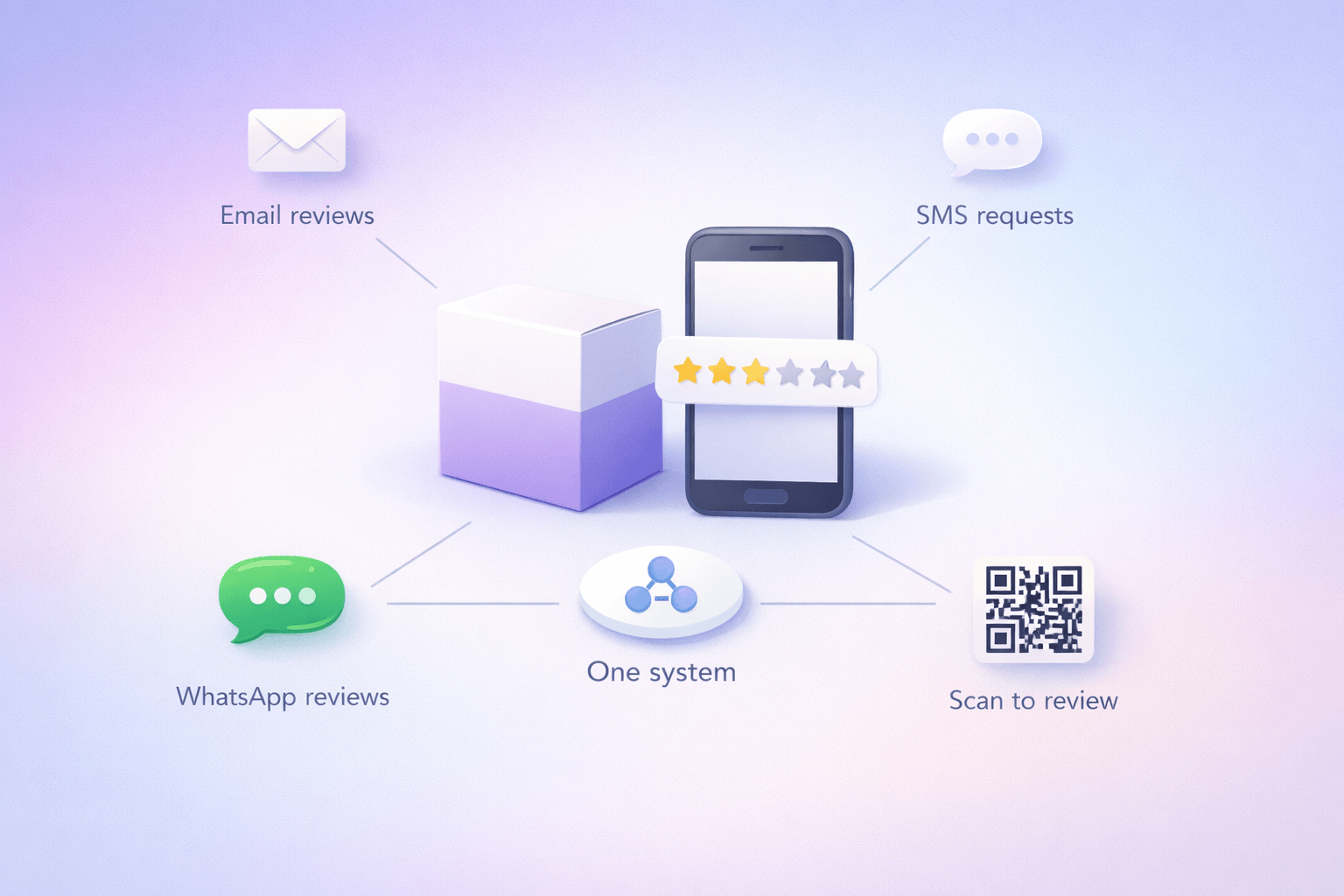
Step 3: Create Multiple Review Pathways

Make it easy with multiple options:

Text Message: “Thank you for visiting [Practice Name]! We’d love your feedback: [Short URL to review page]”

Email: Send follow-up email 24-48 hours after appointment with review link

In-Office:

  • QR code poster in waiting room
  • QR code on business cards
  • Tablet station in reception

Receipt/Paperwork: Include review link on checkout paperwork

How to create a Google review link:

  1. Go to your Google Business Profile
  2. Click “Get more reviews”
  3. Copy the short URL
  4. Use this in all review requests

Step 4: Review Across Multiple Platforms

Don’t just focus on Google. Get reviews on:

Priority 1: Google (affects local search rankings most)
Priority 2: Healthgrades, Vitals, RateMDs (where patients research)
Priority 3: Facebook, Yelp (social proof)
Priority 4: ZocDoc (if you use their booking system)

Step 5: Respond to Every Single Review

Response time goals:

  • Positive reviews: Within 24 hours
  • Negative reviews: Within 4 hours
  • All reviews: Every single one

Positive Review Response Template:

Thank you so much for your kind words, [Name]! We're thrilled you had a positive experience with us. [Specific mention of something they said]. We look forward to continuing to serve you and your family's healthcare needs!

Best regards,
Dr. [Name] and the [Practice Name] Team

Keep it:

  • Personal (use their name)
  • Specific (reference their feedback)
  • Grateful
  • Professional
  • Brief (3-5 sentences)

Negative Review Response Template:

Thank you for taking the time to share your feedback, [Name]. We sincerely apologize that your experience didn't meet our standards. [Acknowledge their specific concern without arguing]. We'd like the opportunity to make this right. Please contact our office manager, [Name], directly at [phone/email] so we can address this personally.

Sincerely,
Dr. [Name]

Critical HIPAA rules for responses: 

❌ Never confirm they’re a patient
❌ Never mention any medical conditions
❌ Never discuss treatment details
❌ Never share protected health information
✅ Keep all responses general
✅ Take specific issues offline

Step 6: Handle Fake or Unfair Reviews

Sometimes you’ll get reviews from:

  • Competitors
  • People who were never patients
  • Spam accounts

How to flag inappropriate reviews:

  1. Log into your Google Business Profile
  2. Find the review
  3. Click the three dots
  4. Select “Flag as inappropriate”
  5. Explain why (e.g., “This person was never a patient”)

Google doesn’t remove many reviews, but it’s worth trying for clearly fake ones.

What you CAN’T do:

❌ Pay for reviews
❌ Offer incentives for positive reviews
❌ Post fake reviews
❌ Ask employees/family to leave reviews
❌ Leave reviews for yourself

These violate Google’s policies and can get you penalized.
Part 3: Citations and NAP Consistency

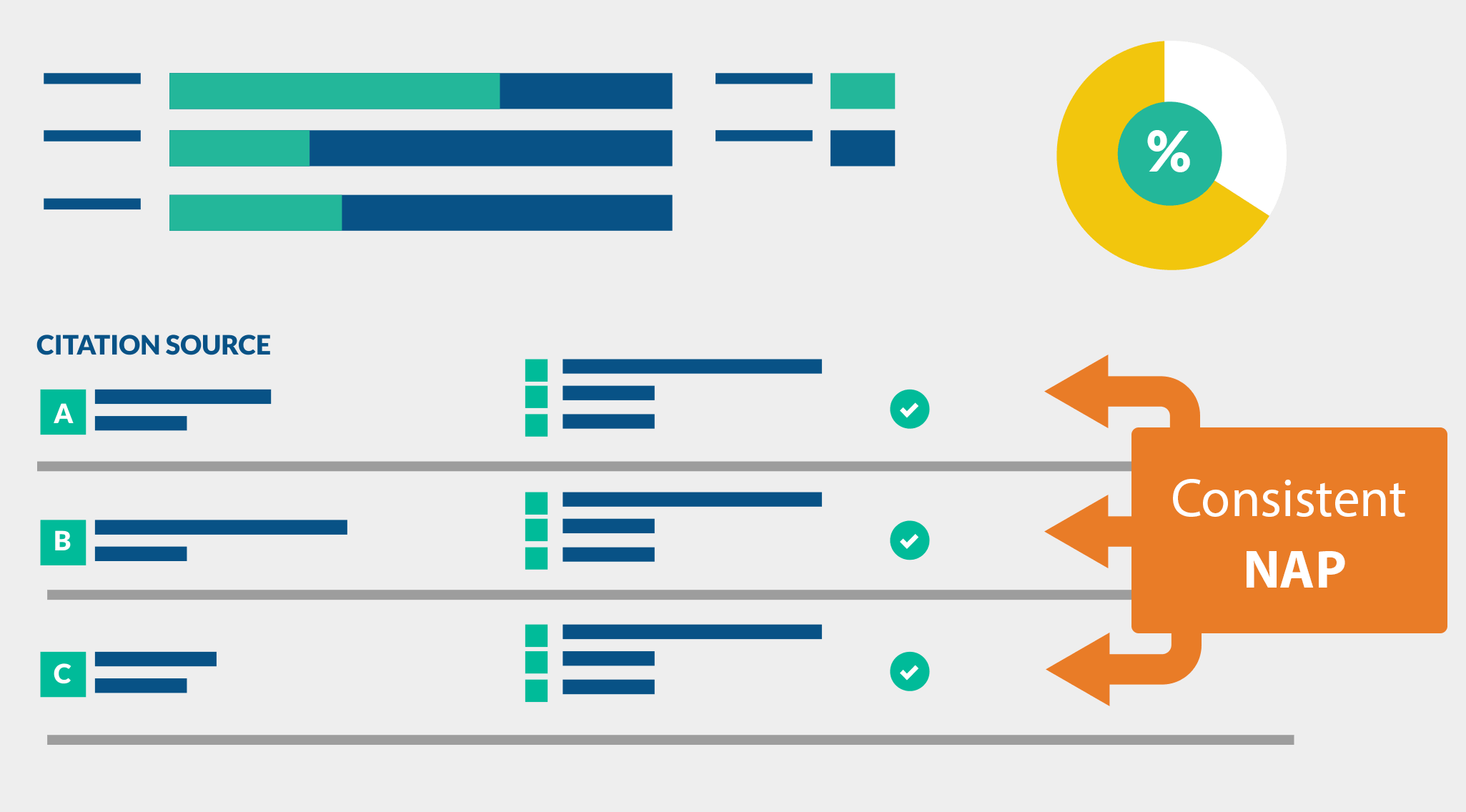
Citations are online mentions of your business name, address, and phone number (NAP).

Why NAP consistency matters:

Google cross-references your business information across the web. If your address is listed differently on 50 websites, Google gets confused about which is correct. This hurts your rankings.

What NAP consistency looks like:

Correct (consistent everywhere):

Dr. Sarah Johnson Pediatrics
123 Main Street, Suite 200
Austin, TX 78701
(512) 555-0123

Incorrect (inconsistent formats):

Website 1: Sarah Johnson MD Pediatrics
Website 2: Dr. S. Johnson Pediatric Clinic
Website 3: Johnson Pediatrics

Website 1: 123 Main St, Ste 200
Website 2: 123 Main Street, #200
Website 3: 123 Main Street, Suite 200

Website 1: 512-555-0123
Website 2: (512) 555-0123
Website 3: 5125550123

Pick ONE format and use it everywhere.

Where to Build Citations:

Medical-Specific Directories (Priority):

  • Healthgrades.com
  • WebMD Physician Directory
  • Vitals.com
  • RateMDs.com
  • Zocdoc.com
  • Medicare.gov Provider Directory
  • Insurance provider directories

General Business Directories:

  • Yelp
  • Better Business Bureau
  • Yellow Pages
  • Manta
  • Foursquare
  • Apple Maps

Local Directories:

  • Local chamber of commerce
  • City business directories
  • Local news site directories
  • Community websites

How to build citations:

Option 1: Manual (Free but time-consuming) Visit each directory, create a profile, ensure NAP is identical

Option 2: Citation Services (Paid but faster)

  • Moz Local ($129/year)
  • BrightLocal ($29/month)
  • Yext ($199/month)

These services automatically submit your information to dozens of directories.

Step-by-Step Citation Audit:

Week 1: Find Your Existing Citations

  • Google your business name + city
  • Note every listing you find
  • Create a spreadsheet

Week 2: Check for Inconsistencies

  • Is NAP exactly the same everywhere?
  • Are there old addresses listed?
  • Different phone numbers?

Week 3: Fix Inconsistencies

  • Update incorrect listings
  • Remove duplicate listings
  • Claim unclaimed profiles

Week 4: Build New Citations

  • Submit to major medical directories
  • Submit to local directories
  • Submit to general business directories

Goal: 40-60 quality citations within 6 months

Creating Location-Specific Pages

If you have multiple locations, create a unique page for each.

Perfect location page structure:

URL: yoursite.com/locations/downtown-chicago

H1: Pediatrician in Downtown Chicago | [Practice Name]

Content should include:

  • Location-specific headline with city/neighborhood
  • Unique description (not duplicated from other location pages)
  • Full address
  • Phone number specific to this location
  • Business hours
  • Embedded Google Map
  • Driving directions from major highways
  • Public transportation options
  • Parking information
  • Photos of THIS specific location
  • Staff who work at THIS location
  • Patient reviews for THIS location
  • Services available at THIS location
  • Neighborhoods you serve from this location

Example unique content:

Our downtown Chicago pediatric office is conveniently located in the Loop, just two blocks from the Chicago Red Line station. We serve families throughout downtown Chicago, River North, West Loop, and surrounding neighborhoods.

Parking is available in the building garage (entrance on State Street) and at the public lot on Madison Avenue. We validate parking for all patients.

Dr. Martinez and Dr. Johnson see patients at our downtown location Monday through Friday...

Key: Each location page must have unique content. Don’t copy-paste the same description.

Local Content Strategy

Create content that targets local keywords:

Blog post ideas:

  • “Top 10 Family-Friendly Parks Near Our [City] Office”
  • “Finding a Pediatrician in [Neighborhood]: What to Look For”
  • “[City] Flu Season: When to Get Your Vaccine”
  • “Parking and Directions to [Practice Name] [Location]”

Community involvement content:

  • Sponsor local events
  • Participate in health fairs
  • Partner with schools
  • Support local charities
  • Write about community health initiatives

This builds local relevance and earns local backlinks.

Monthly Local SEO Maintenance Checklist

Week 1:

  • Check Google Business Profile for accuracy
  • Create 2-3 Google Posts
  • Respond to all new reviews
  • Add new photos

Week 2:

  • Request reviews from 10 happy patients
  • Check for duplicate GBP listings
  • Update business hours if changed
  • Answer any Q&A questions

Week 3:

  • Audit NAP consistency across directories
  • Fix any inconsistencies found
  • Build 2-3 new citations
  • Update old listings

Week 4:

  • Create local content piece
  • Engage with local community online
  • Check competitor rankings
  • Analyze GBP Insights for performance

“A dermatology practice in Miami wasn’t showing up in the Map Pack. We optimized their GBP, built 40 citations, and generated 50 reviews in 90 days. They went from invisible to position #1 in the Map Pack for ‘dermatologist Miami Beach.’ Appointments increased 78%.”
— Saad Ahmed Turk

Common Local SEO Mistakes

❌ Incomplete Google Business Profile
❌ Not responding to reviews
❌ Inconsistent NAP across directories
❌ Using a P.O. Box instead of physical address
❌ Wrong business category selected
❌ No photos uploaded
❌ Duplicate listings
❌ Keyword stuffing in business name
❌ Fake reviews
❌ Not posting regularly

Pro Tip: Set a weekly calendar reminder to maintain your GBP. Just 30 minutes per week can dramatically improve your local rankings.

Strategy #6: Get More Patient Reviews (And Respond to Every Single One)

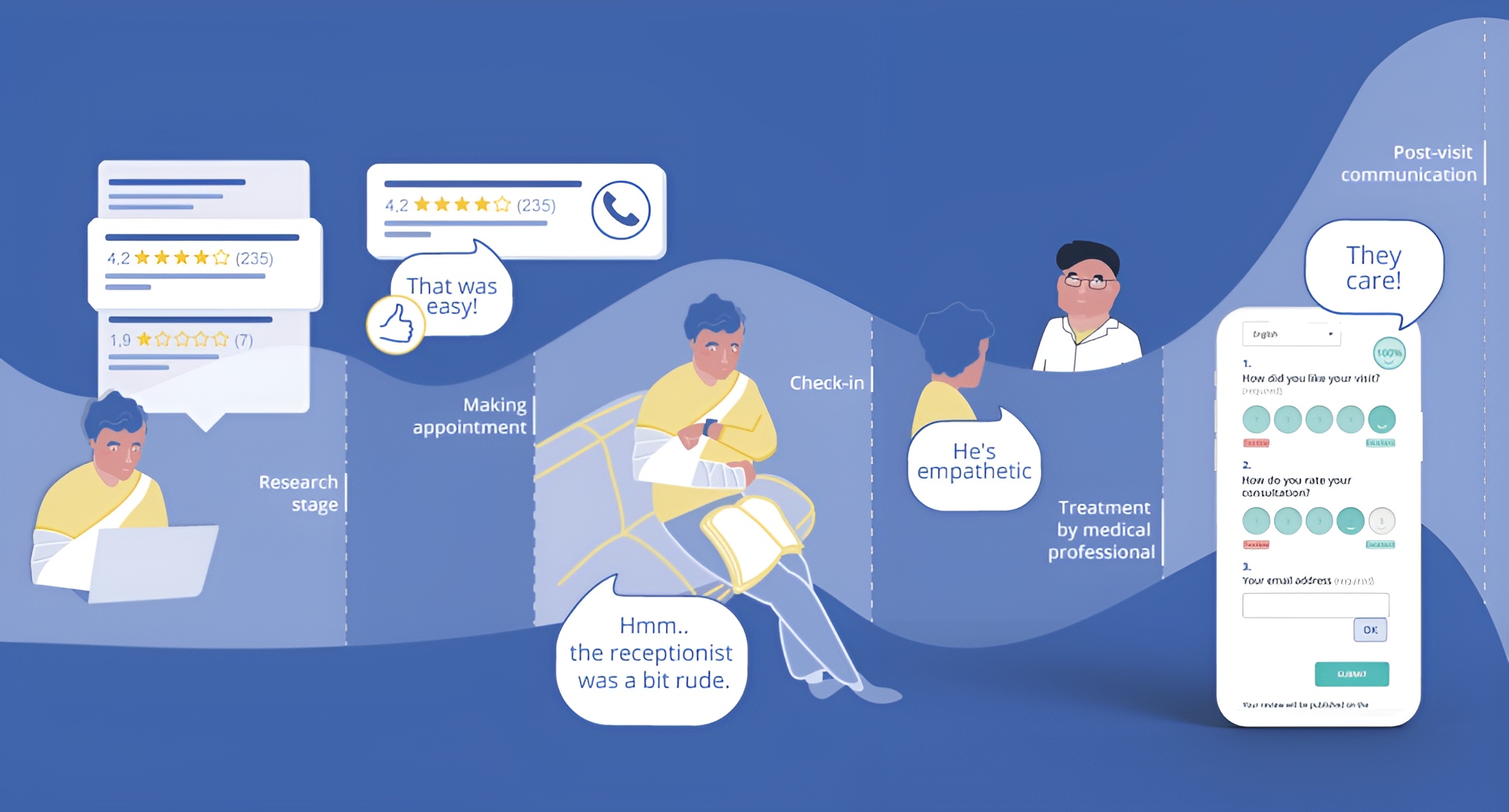
We touched on reviews in the local SEO section, but they deserve their own deep dive because they’re that important.

Here’s why reviews matter:

  • 94% of patients read online reviews before choosing a doctor
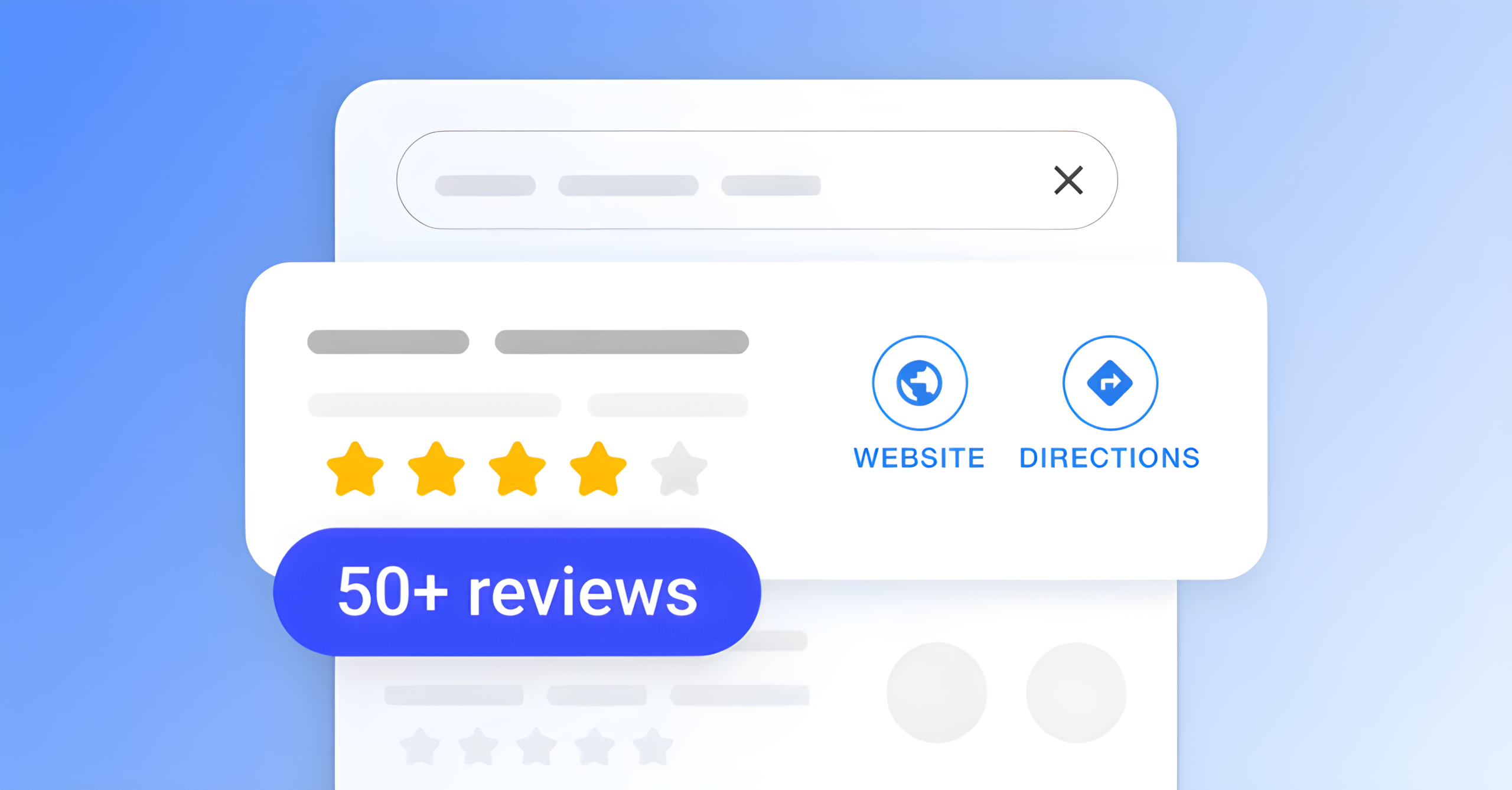
  • Practices with 50+ reviews get 2.4x more appointments
  • Reviews account for 15% of local ranking factors
  • More reviews = more trust = more patients

The Psychology of Patient Reviews

Patients don’t just read reviews—they analyze them. Here’s what they’re looking for:

Quantity: “If only 5 people reviewed this doctor, what are they hiding?”
Recency: “The last review is from 2 years ago. Are they still good?”
Response: “The doctor never responds. Do they care about patients?”
Detail: “Generic 5-star reviews seem fake. I want specifics.”
Balance: “All 5-star reviews look suspicious. Some 4-stars seem more real.”

Your goal is to accumulate authentic, detailed reviews consistently over time.

Every piece of content you create is an opportunity to:

  • Rank for keywords patients are searching
  • Build trust and establish expertise
  • Answer questions patients have
  • Generate backlinks from other websites
  • Keep people on your site longer (which helps SEO)

Google’s algorithm prioritizes helpful, well-written content. The more valuable content you publish, the more Google sees you as an authority.

The Complete Review Generation System

Phase 1: Set Up Your Infrastructure (Week 1)

Create your review links:

  • Google review link (use Google’s “Get more reviews” feature)
  • Healthgrades profile link
  • Vitals profile link
  • Facebook page reviews
  • Zocdoc (if applicable)

Set up collection methods:

  • Text message template with link
  • Email template with link
  • QR code posters for office
  • Business cards with QR code
  • Tablet in waiting room

Phase 2: Train Your Team (Week 2)

Everyone on your team should know how to ask for reviews.

Front desk script: “We’re so glad everything went well today! We’d really appreciate it if you could take a moment to share your experience on Google. It helps other families find us. Would you like me to text you the link?”

Doctor/provider script: “It’s been great working with you. If you’ve had a positive experience, I’d be grateful if you’d consider leaving us a review. It makes a big difference for our practice.”

After successful treatment: I’m thrilled with your progress! If you’re comfortable sharing your experience, we’d love a review on Google. Many families read reviews when choosing a doctor, and your story could really help someone.”

Key principles:

  • Ask at the right moment (when happy, not when in pain)
  • Make it optional, not pushy
  • Explain why it matters
  • Make it easy (provide direct link)

Phase 3: Automate Review Requests (Week 3)

Automated email sequence:

24 hours after appointment:

Subject: How was your visit to [Practice Name]?

Hi [Patient Name],

Thank you for choosing [Practice Name] for your healthcare needs. We hope you had a positive experience during your recent visit.

If you have a moment, we'd greatly appreciate your feedback. Your review helps other patients in our community find quality care.

[Leave a Review Button]

If you have any concerns about your visit, please contact us directly at [phone] so we can make it right.

Thank you for trusting us with your care!

Best,
[Practice Name] Team

Important: Check with your compliance officer about HIPAA regulations for email communications.

SMS sequence:

Hi [Name], this is [Practice Name]. Thanks for your visit today! If you had a great experience, would you mind leaving us a quick review? [Link] Reply STOP to opt out.

Tools for automation:

  • Birdeye ($299/month)
  • Podium ($289/month)
  • Swell ($200/month)
  • Grade.us ($125/month)

Phase 4: In-Office Review Collection (Ongoing)

QR Code strategy: Place QR codes in:

  • Checkout desk
  • Waiting room
  • Exam rooms
  • Bathroom (people have time there!)
  • Business cards
  • Appointment reminder cards

Design tip: Add text like “Scan to share your experience” or “We’d love your feedback!”

Tablet in waiting room: Have a tablet set up with your Google review page bookmarked. Patients can leave reviews while waiting.

Phase 5: Monthly Review Goals

Realistic timeline:

Month 1: 10 new reviews
Month 2: 15 new reviews
Month 3: 20 new reviews
Month 6: 60+ total reviews
Month 12: 120+ total reviews

To achieve this, you need to ask:

  • 10-15 patients per day for reviews
  • Expect a 10-20% response rate
  • So asking 15 patients daily = 2-3 reviews

How to Respond to Reviews Like a Pro

Response time targets:

  • Positive reviews: Within 24 hours
  • Negative reviews: Within 2-4 hours
  • Questions in reviews: Within 12 hours

Why fast responses matter:

  • Shows you’re attentive and care
  • Potential patients are watching
  • Google likes active engagement
  • Turns negatives into positives

Responding to 5-Star Reviews:

Generic response (avoid this): “Thank you for your review!”

Personalized response (much better):

Thank you so much for the wonderful review, Jennifer! We're thrilled that you and your daughter had such a positive experience during her wellness visit. Dr. Martinez especially enjoyed meeting Emma and is glad we could ease her fears about vaccines. We look forward to seeing you both at the next checkup!

Warmly,
The [Practice Name] Team

Formula:

  1. Thank them by name
  2. Reference something specific they mentioned
  3. Reinforce the positive
  4. Invite them back

Responding to 4-Star Reviews:

Thank you for your feedback, Mark! We're glad you had a good experience overall. We appreciate you mentioning the wait time concern—we're actively working on improving our scheduling system to minimize delays. Your input helps us get better. We hope to see you again soon!

Best regards,
Dr. [Name] and Team

Formula:

  1. Thank them
  2. Acknowledge the positive
  3. Address the concern (without being defensive)
  4. Show you’re taking action
  5. Keep the door open

Responding to Negative Reviews (The Tricky Part):

First, take a deep breath. Negative reviews sting, but they’re an opportunity.

What NOT to do: ❌ Get defensive or argumentative ❌ Share patient information (HIPAA violation!) ❌ Blame the patient ❌ Make excuses ❌ Ask them to remove the review ❌ Ignore it

What TO do: ✅ Respond quickly (within 4 hours) ✅ Acknowledge their feelings ✅ Apologize (even if not your fault) ✅ Take the conversation offline ✅ Stay professional and calm

Template for negative reviews:

Thank you for sharing your feedback, [Name]. We sincerely apologize that your experience didn't meet our high standards of care. [Acknowledge their specific concern without arguing or sharing protected information]. 

Your satisfaction is extremely important to us, and we'd like to make this right. Please contact our office manager, [Name], directly at [phone] or [email] so we can discuss this matter personally and find a resolution.

We appreciate you bringing this to our attention so we can improve.

Sincerely,
Dr. [Name]

Key elements:

  1. Empathize and apologize
  2. Don’t argue or defend
  3. Take it offline (always)
  4. Show willingness to resolve
  5. Stay professional
  6. Never reveal protected health info

Example of a bad response: “We don’t agree with your assessment. You arrived 20 minutes late to your appointment and were rude to our staff. Also, your insurance didn’t cover the procedure you requested.”

Why this is terrible:

  • Defensive
  • Potentially reveals protected info
  • Blames the patient
  • Makes you look unprofessional
  • Discourages future patients

HIPAA Warning: Even responding to a negative review can be tricky. By acknowledging they were a patient, you’re confirming protected health information. Consult with your compliance officer about response protocols.

Safe response that avoids HIPAA issues: “We appreciate you sharing your concerns. We take all feedback seriously. We’d like to discuss this matter directly. Please contact our office manager at [phone] so we can address your concerns personally.”
What to Do After a Negative Review

Step 1: Respond publicly (as shown above)

Step 2: Reach out privately

  • Call the patient within 24 hours
  • Listen without interrupting
  • Empathize genuinely
  • Ask what would make it right
  • Implement reasonable solutions

Step 3: Follow up

  • After resolving, follow up to ensure satisfaction
  • Ask if they’d consider updating their review (don’t demand)
  • Send a thank you note

Step 4: Learn from it

  • Is this a pattern? (Multiple complaints about wait times?)
  • What systems need improvement?
  • How can you prevent this in the future?

Real story: A pediatric practice I worked with got a 1-star review about long wait times. Instead of getting defensive, they:

  1. Responded professionally and apologized
  2. Called the patient and offered a future visit discount
  3. Reviewed their scheduling system
  4. Hired another nurse to improve flow
  5. The patient updated the review to 4 stars

The updated review mentioned how impressed they were with the practice’s responsiveness. That response turned a negative into a positive.

Dealing with Fake or Malicious Reviews

Sometimes you’ll get reviews from:

  • People who were never patients
  • Competitors trying to harm you
  • Disgruntled employees
  • Spam accounts

How to identify fake reviews:

  • Reviewer has no other reviews
  • Generic complaints (“worst doctor ever” with no specifics)
  • Posted by brand new account
  • Timing (multiple negative reviews in one day)
  • You have no record of this person being a patient

How to report fake reviews:

On Google:

  1. Find the review in your Google Business Profile
  2. Click the three dots next to it
  3. Select “Flag as inappropriate”
  4. Choose reason: “Conflict of interest” or “Off-topic”
  5. Explain: “This person was never a patient at our practice”

Warning: Google rarely removes reviews unless they clearly violate policies. But it’s worth trying.

On Healthgrades/Vitals: These platforms are more responsive. Contact their support team with evidence the person wasn’t a patient.

What you CANNOT do: ❌ Pay someone to post fake positive reviews (illegal) ❌ Create fake accounts to review yourself ❌ Ask employees or family to leave reviews ❌ Offer incentives for positive reviews (violates platform policies) ❌ Threaten legal action publicly

Showcasing Reviews on Your Website

Don’t let great reviews just sit on Google. Display them on your site!

Where to showcase reviews:

  • Homepage (rotating testimonials)
  • About page
  • Individual doctor pages
  • Service pages
  • Dedicated “Patient Reviews” page

How to display them:

Option 1: Manual testimonial section

⭐⭐⭐⭐⭐

"Dr. Johnson completely changed my life. I came in with chronic back pain and could barely walk. After her treatment plan, I'm now hiking with my grandkids again!"

— Maria L., Denver

Option 2: Embed Google reviews widget (Shows live, real-time reviews from Google)

Option 3: Use review aggregation tools

  • Birdeye
  • Podium
  • EmbedReviews.com

Get written consent: If you’re using full names or photos with testimonials, get written permission. HIPAA compliance is critical.
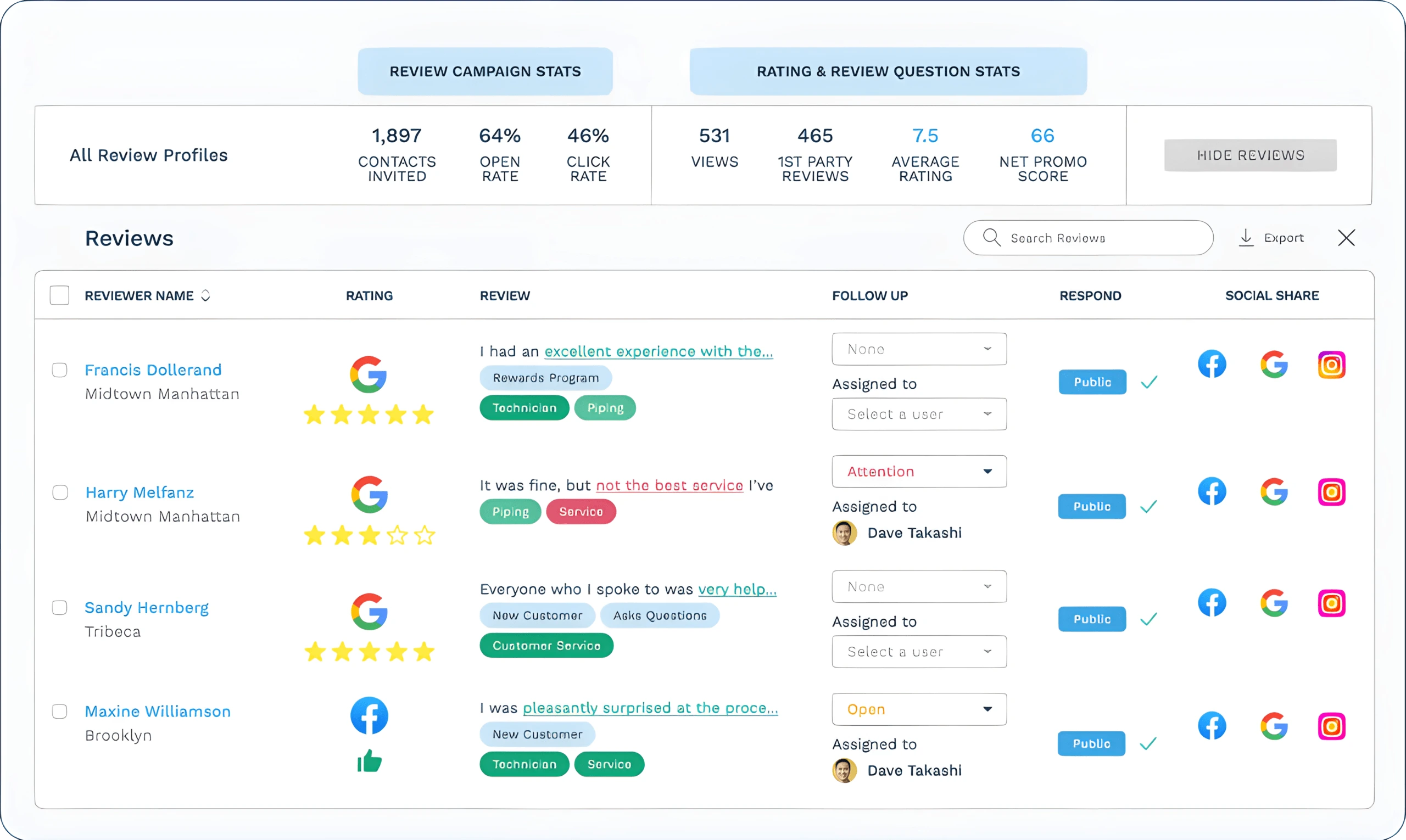

Review Monitoring System

Daily tasks (5 minutes):

  • Check Google Business Profile for new reviews
  • Respond to any new reviews

Weekly tasks (15 minutes):

  • Check Healthgrades, Vitals, Facebook for new reviews
  • Respond to all new reviews
  • Request reviews from happy patients (10-15 asks)

Monthly tasks (30 minutes):

  • Analyze review trends (what are people praising/complaining about?)
  • Update website testimonials
  • Review your average rating across platforms
  • Adjust processes based on feedback

Quarterly tasks (1 hour):

  • Comprehensive review audit across all platforms
  • Competitive analysis (how do your reviews compare to competitors?)
  • Team training refresher on asking for reviews

Review Response Tools

Free:

  • Google Business Profile app (get notifications of new reviews)
  • Manual monitoring

Paid (worth it for multi-location practices):

  • Birdeye ($299/month): Monitors all platforms, automated requests, AI response suggestions
  • Podium ($289/month): Reviews + messaging platform
  • Grade.us ($125/month): Budget-friendly review management
  • Reputation.com (Custom pricing): Enterprise solution

The Numbers You Should Track

Key metrics:

  • Total review count: Goal: 100+ within first year
  • Average rating: Goal: 4.5+ stars
  • Review velocity: Goal: 10-20 new reviews per month
  • Response rate: Goal: 100%
  • Average response time: Goal: Under 24 hours for positive, under 4 hours for negative
  • Review conversion rate: Goal: 10-20% of asks result in reviews

Use Google Business Profile Insights to track:

  • How many people viewed your profile
  • How many people clicked for directions
  • How many people called
  • How many people visited your website

More reviews = more visibility = more patient actions.

“Reviews are the #1 trust factor for new patients. But here’s what most practices miss: it’s not just quantity, it’s recency and response rate. Google wants to see you’re active and engaged. One practice I worked with had 200 reviews but none from the past 6 months. We generated 30 fresh reviews in 60 days and their Map Pack ranking jumped from #7 to #2.”
— Saad Ahmed Turk

Common Review Mistakes

❌ Not asking for reviews at all
❌ Only asking happy patients (looks fake)
❌ Offering gift cards or incentives (against platform rules)
❌ Ignoring negative reviews
❌ Getting defensive in responses
❌ Not monitoring multiple platforms
❌ Letting review count stagnate
❌ Fake reviews (never, ever do this)
❌ Asking too early (before treatment is complete)
❌ Making it complicated (too many steps)

Bottom line: Reviews are social proof that you’re trustworthy. Make generating and managing them a core part of your marketing strategy.

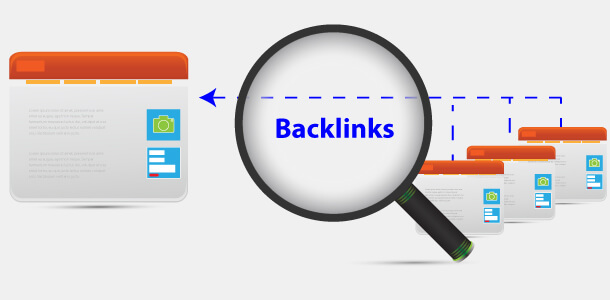
Strategy #7: Build High-Quality Backlinks (Not Spammy Ones)

Backlinks are links from other websites pointing to yours. They’re like votes of confidence in Google’s eyes.

The more quality backlinks you have, the higher you’ll rank.

But here’s the catch: not all backlinks are equal.

1 link from Mayo Clinic = More valuable than 100 links from random blogs

Why Backlinks Matter

Think of backlinks as reputation building. When The New York Times links to your article about pediatric health, it’s like them saying, “This doctor knows what they’re talking about.”

Google pays attention to:

  • Quantity: How many sites link to you
  • Quality: How authoritative those sites are
  • Relevance: Are they health/medical sites?
  • Diversity: Links from many different sites (not just one)

Domain Authority (DA) matters:

  • DA 90-100: Google, Mayo Clinic, WebMD, .gov sites (extremely valuable)
  • DA 70-89: Major health publications, university sites (very valuable)
  • DA 50-69: Established medical blogs, regional news (valuable)
  • DA 30-49: Smaller health sites, local publications (moderately valuable)
  • DA 0-29: New or low-quality sites (minimal value)

The 10 Best Link Building Strategies for Medical Practices

1. HARO (Help a Reporter Out)

This is my #1 recommended strategy for earning high-quality backlinks.

What is HARO? Journalists and bloggers post queries looking for expert sources. You respond with your expertise and get quoted in their articles—with a backlink.

How to use it:

Step 1: Sign up at helpareporter.com (free)

Step 2: Choose “Healthcare & Fitness” category

Step 3: You’ll get 3 emails daily with journalist queries

Step 4: Respond to relevant queries quickly (within 2-4 hours)

Example queries you might see:

  • “Seeking pediatrician to comment on childhood obesity trends”
  • “Looking for dermatologist to explain sunscreen myths”
  • “Need cardiologist to discuss heart health during holidays”

How to craft winning responses:

Subject: Pediatrician available for childhood obesity story

Hi [Journalist Name],

I'm Dr. Sarah Martinez, a board-certified pediatrician with 12 years of experience treating over 5,000 children in Austin, Texas. I'd be happy to provide expert commentary on childhood obesity trends.

Key points I can address:
- Latest statistics on pediatric obesity rates
- Primary contributing factors (diet, activity, genetics)
- Practical prevention strategies for parents
- How to talk to children about healthy habits without body shaming

I'm available for phone or email interviews today or tomorrow. I can also provide quotes by email if that's easier.

Contact information:
Phone: [number]
Email: [email]
Website: [your site]

Looking forward to contributing to your story!

Best,
Dr. Sarah Martinez, MD
Board-Certified Pediatrician
[Practice Name]

Success rate: If you respond to 10 queries, expect 1-3 to result in published articles with backlinks.

Time investment: 30 minutes daily reviewing queries and responding

Potential result: 2-5 high-authority backlinks per month from major publications

2. Local News and Media

Local journalists always need health experts for stories.

How to get featured:

Become a go-to source:

  • Create a media page on your website with:
    • Professional headshot
    • Short bio
    • Areas of expertise
    • Previous media appearances
    • Contact information

Pitch local story ideas:

Subject: Local pediatrician available to discuss flu season

Hi [Journalist Name],

I'm Dr. Sarah Martinez, a pediatrician at [Practice Name] in Austin. With flu season approaching, I wanted to offer my expertise for any health stories you're working on.

Story angles I can speak to:
- When parents should get their kids vaccinated
- Common flu myths
- How to tell the difference between flu and COVID
- Tips for keeping schools healthy during flu season

I've been treating children in Austin for 12 years and have seen how flu season impacts our community firsthand.

I'm available for interviews this week. Would this be helpful for any upcoming health segments?

Best,
Dr. Sarah Martinez
[Phone] | [Email]

Where to reach out:

  • Local TV news health reporters
  • Local newspaper health columnists
  • Community magazines
  • Local radio shows
  • Podcast hosts

Bonus: Offer to write a guest column for local newspapers (more on this below)

3. Medical Directory Listings

These are essential for both SEO and credibility.

High-value medical directories:

Domain Authority 90+:

  • Medicare.gov Provider Directory (DA 93)
  • WebMD Physician Directory (DA 91)
  • Healthgrades.com (DA 85)

Domain Authority 70-89:

  • Vitals.com (DA 74)
  • RateMDs.com (DA 62)
  • Zocdoc.com (DA 71)
  • CareDash.com (DA 46)
  • Wellness.com (DA 55)

How to get listed:

  1. Create profiles on each platform
  2. Complete 100% of your profile
  3. Upload photos
  4. Add detailed descriptions
  5. Encourage patient reviews on each platform
  6. Keep information updated

Time investment: 1-2 hours per directory initially, then minimal maintenance

4. University and Medical School Connections

These are goldmines for high-authority backlinks.

Strategies:

Alumni directory:

  • Contact your medical school’s alumni office
  • Get listed in their physician directory
  • Typical DA: 80-95 (.edu domains)

Guest lectures:

  • Offer to speak to medical students
  • Get listed on event pages
  • Featured in school newsletters

Research collaborations:

  • Partner with university researchers
  • Get cited in published studies
  • Listed on research team pages

Mentorship programs:

  • Mentor medical students or residents
  • Get featured in program materials
  • Listed on school websites

Scholarship funds:

  • Create a small scholarship ($500-$1,000)
  • School links to scholarship page on your site
  • Great PR and backlink

Example outreach:

Subject: Alumni offering to speak to medical students

Dear [Dean of Students],

I'm Dr. Michael Chen, a 2008 graduate of [Medical School]. I'm a cardiologist practicing in Seattle and would love to give back to current students.

I'd be interested in:
- Speaking to students about career paths in cardiology
- Participating in career day events
- Mentoring students interested in cardiology

Please let me know if there are opportunities to get involved.

Best regards,
Dr. Michael Chen, MD, Class of 2008

5. Hospital and Clinic Affiliations

If you have hospital privileges or clinic affiliations, get listed on their websites.

What to request:

  • Staff physician directory listing
  • Department page listing
  • Bio page with link to your practice
  • Featured doctor profiles

How to request:

Dear [Hospital Marketing Director],

I'm Dr. [Name], and I've been on staff at [Hospital] since [year]. I noticed that the cardiology department page lists our physicians, but my profile doesn't link to my practice website.

Would it be possible to add a link to my website ([URL]) on my directory listing? This would help patients who want to learn more about my practice and book appointments.

I'd be happy to provide any additional information you need.

Thank you,
Dr. [Name]

6. Guest Posting on Health Websites

Write articles for health and wellness websites in exchange for backlinks.

Target sites:

  • Health blogs (Healthline, Verywell Health accept contributions)
  • Wellness websites
  • Parenting blogs (for pediatricians)
  • Senior living blogs (for geriatricians)
  • Fitness websites (for sports medicine, orthopedics)
  • Local health-focused publications

How to pitch:

Subject: Guest post idea: [Compelling health topic]

Hi [Editor Name],

I'm Dr. [Name], a board-certified [specialty] with [X] years of experience. I'm a regular reader of [Website] and love your focus on [specific aspect].

I'd like to contribute a guest post for your readers:

"[Headline]: [Benefit-focused subtitle]"

The article would cover:
- [Key point 1 that benefits their readers]
- [Key point 2]
- [Key point 3]

I've attached writing samples and my bio for your review.

Would this be of interest?

Best,
Dr. [Name]

Guest post topic ideas:

  • “5 Warning Signs of [Condition] You Shouldn’t Ignore”
  • “A Doctor’s Guide to [Treatment/Prevention]”
  • “What I Wish Patients Knew About [Common Concern]”
  • “The Truth About [Common Health Myth]”

Important: Make the article valuable for THEIR audience, not just promotional for you.

7. Create Linkable Assets

These are resources so valuable that other websites naturally want to link to them.

Examples:

Original research:

  • Survey your patients
  • Compile and analyze results
  • Publish findings
  • Share with media and bloggers

Example: “Survey of 500 Parents Reveals Top Concerns About Childhood Vaccinations”

Comprehensive guides:

  • Ultimate guides to conditions
  • Treatment comparison charts
  • Patient resource libraries

Interactive tools:

  • Symptom checkers
  • BMI calculators
  • Medication interaction checkers
  • Health risk assessments

Infographics:

  • Visual health statistics
  • Process explanations
  • Comparison charts

Example: “The Complete Guide to Heart Disease Prevention” (5,000+ words with original graphics)

These naturally earn backlinks because they’re useful and shareable.

8. Sponsor Local Events and Organizations

Sponsorships often include website backlinks.

Opportunities:

  • 5K races and charity runs
  • Health fairs
  • School events
  • Youth sports teams
  • Community festivals
  • Nonprofit organizations
  • Local chamber of commerce

What to negotiate:

  • Logo and link on event website
  • Mention in press releases
  • Social media posts
  • Event program listing

ROI: $500-$2,000 sponsorship = backlink + community goodwill + brand exposure

9. Broken Link Building

Find broken links on health websites and offer your content as a replacement.

How it works:

Step 1: Find relevant health websites in your niche

Step 2: Use a broken link checker tool:

  • Check My Links (Chrome extension)
  • Ahrefs Broken Link Checker
  • Dead Link Checker

Step 3: Identify broken links related to your specialty

Step 4: Create content that replaces the broken resource

Step 5: Email the website owner:

Subject: Broken link on your [page name]

Hi [Name],

I was reading your article "[Article Title]" and found it really helpful. However, I noticed that one of your links appears to be broken:

[Broken link URL]

I actually have a similar resource that might be a good replacement:
[Your URL]

It covers [brief description of your content].

Just thought you might want to know! Feel free to use it if it's helpful.

Best,
Dr. [Name]

Success rate: About 10-20% will update the link

10. Local Chamber of Commerce and Business Groups

These provide easy, legitimate local backlinks.

Join:

  • Local chamber of commerce
  • Rotary Club
  • Lions Club
  • BNI (Business Network International)
  • Local medical society
  • Specialty medical associations

Benefits:

  • Directory listing with backlink
  • Networking opportunities
  • Referral sources
  • Community involvement

Cost: Usually $200-$500/year

Links to Avoid (Black Hat Tactics)

These will get you penalized by Google:

❌ Buying links: Never pay for backlinks directly
❌ Link farms: Networks that exist just to exchange links
❌ PBNs: Private blog networks created just for links
❌ Comment spam: Dropping links in blog comments
❌ Forum spam: Posting links in forums
❌ Article directories: Low-quality content sites
❌ Reciprocal link schemes: “I’ll link to you if you link to me” at scale
❌ Footer/sidebar links: Sitewide links that look unnatural

What happens if you use black hat tactics:

  • Google penalty (rankings tank)
  • Manual action (difficult to recover from)
  • Loss of trust
  • Wasted money

Stick to white hat strategies only.
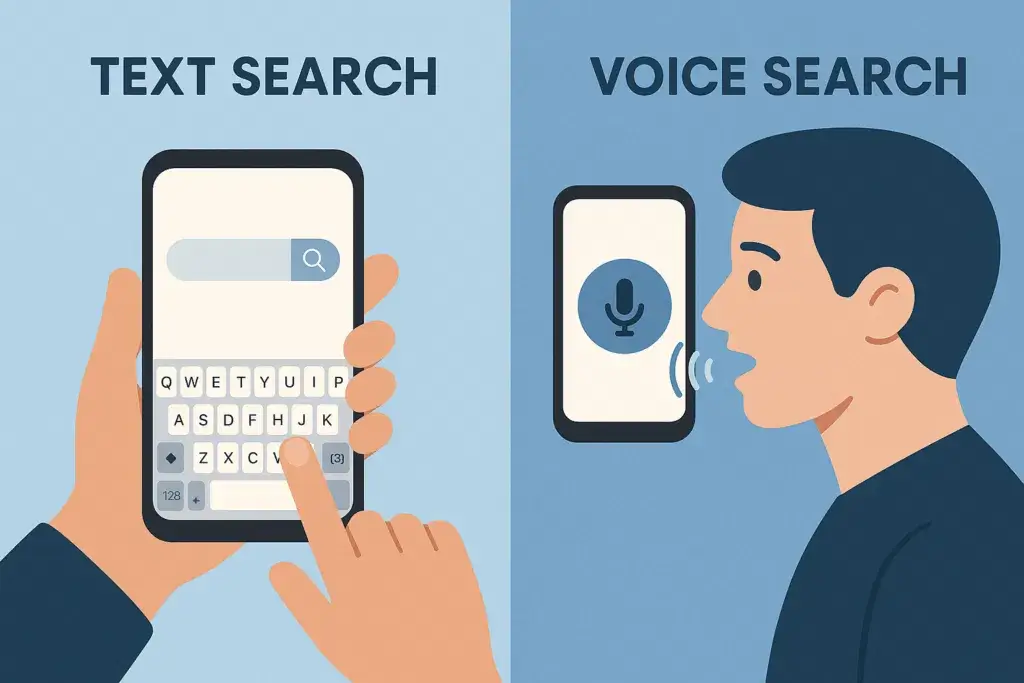
How to Track Your Backlinks

Month 1-3: 5-10 new quality backlinks
Month 4-6: 10-15 new quality backlinks
Month 7-12: 15-20 new quality backlinks

Quality over quantity. One link from a DA 80 site is worth more than 50 links from DA 20 sites.

Monthly Link Building Goals

Month 1-3: 5-10 new quality backlinks
Month 4-6: 10-15 new quality backlinks
Month 7-12: 15-20 new quality backlinks

Quality over quantity. One link from a DA 80 site is worth more than 50 links from DA 20 sites.

Real-World Example

A family practice I worked with had almost no backlinks. We implemented:

HARO responses: 3 backlinks from major health publications (DA 85+)
Local news: Featured in 2 local TV segments and newspaper article (3 backlinks)
Medical directories: Listed on 15 quality directories
Guest posts: Published on 2 health websites
University: Added to medical school alumni directory

Results after 6 months:

  • 23 new quality backlinks
  • Domain Authority increased from 18 to 32
  • Rankings improved for 34 keywords
  • Organic traffic up 89%

“I tell every medical practice: focus on earning links, not building them. Create content so valuable that people naturally want to link to it. One client created an interactive symptom checker that earned 47 backlinks in 6 months without any outreach.”
— Saad Ahmed Turk

Bottom line: Link building takes time and effort, but it’s essential for ranking well. Focus on quality, relevance, and natural link acquisition.

Strategy #8: Optimize for Voice Search (The Future is Speaking)

Voice search is changing how people find doctors. Instead of typing “pediatrician near me,” they’re saying “Hey Siri, find me a pediatrician that’s open right now.”

The numbers:

  • 58% of consumers have used voice search to find local business information
  • 71% of people prefer using voice assistants to typing queries
  • Voice searches are 3x more likely to be local-based
  • By 2025, 50% of all searches will be voice-based

If you’re not optimizing for voice search, you’re missing out on a massive and growing audience.

How Voice Search is Different

Typed search: “dentist Chicago”
Voice search: “Where’s the closest dentist to me that’s open on Saturday?”

Typed search: “knee pain causes”
Voice search: “Why does my knee hurt when I walk up stairs?”

Typed search: “pediatrician reviews”
Voice search: “What’s the best-rated pediatrician near me?”

Key differences:

  • Longer queries (7-10 words vs. 2-3 words)
  • More conversational and natural
  • Often phrased as questions
  • Strong local intent
  • Immediate need (often includes “now,” “today,” “open”)

Voice Search Optimization Strategies

1. Target Question-Based Keywords

Voice searches are questions. Structure your content to answer them.

Common question patterns:

  • Who: “Who is the best cardiologist in Boston?”
  • What: “What are the symptoms of strep throat?”
  • When: “When should I take my child to the ER?”
  • Where: “Where can I get a flu shot near me?”
  • Why: “Why does my back hurt in the morning?”
  • How: “How do I know if I need knee surgery?”

Action steps:

Step 1: Use Answer the Public to find question keywords in your specialty

Step 2: Create content that directly answers these questions

Step 3: Use the question as your H2 heading

Example structure:

H1: Complete Guide to Lower Back Pain

H2: Why Does My Lower Back Hurt in the Morning?
Your lower back might hurt in the morning because...

H2: When Should I See a Doctor for Back Pain?
You should see a doctor for back pain if...

H2: How Can I Relieve Lower Back Pain at Home?
You can relieve lower back pain at home by...

2. Write in Conversational Language

Voice search uses natural, everyday language. Your content should too.

Instead of: “Hypertension management requires lifestyle modifications.”
Write: “To manage high blood pressure, you need to make some changes to your daily habits.”

Instead of: “Pediatric patients presenting with elevated temperature…”
Write: “When your child has a fever…”

Tip: Read your content out loud. If it sounds stiff or unnatural, rewrite it.

3. Create Comprehensive FAQ Pages

FAQ pages are perfect for voice search optimization.

Structure:

  • Use questions as H2 headings
  • Provide concise answers (40-60 words for featured snippets)
  • Use natural language
  • Cover all common patient questions

Example FAQ page structure:

H1: Frequently Asked Questions About Physical Therapy

H2: What should I wear to physical therapy?
Wear comfortable, loose-fitting clothing that allows easy movement. Athletic wear like shorts, t-shirts, or yoga pants works well. Avoid jeans or restrictive clothing. Bring supportive athletic shoes if you'll be doing standing or walking exercises.

H2: How long does a physical therapy session last?
Most physical therapy sessions last 45-60 minutes. Your first appointment may be longer (up to 90 minutes) because your therapist needs time to evaluate your condition and create your treatment plan.

H2: Does physical therapy hurt?
Physical therapy shouldn't hurt, but you might feel some discomfort as you work on tight or weak areas. Your therapist will work within your comfort level and adjust exercises if needed. Some soreness after your first few sessions is normal.

4. Optimize for Featured Snippets (Position Zero)

Voice assistants often read from featured snippets. Getting featured can dramatically increase your visibility.

What are featured snippets? The answer box that appears at the top of Google search results, before all other results.

Types of featured snippets:

  • Paragraph: Short text answer
  • List: Numbered or bulleted steps
  • Table: Comparison or data
  • Video: Featured video result

How to optimize for featured snippets:

For paragraph snippets:

  • Answer the question in 40-60 words
  • Place the answer directly after the H2 question
  • Use simple, clear language
  • Define terms if necessary

Example:

H2: What is a root canal?

A root canal is a dental procedure that removes infected tissue from inside your tooth. Your dentist cleans out the damaged area, disinfects it, and fills it with a special material. This saves your tooth and relieves pain. Most root canals are completed in one or two visits and are no more painful than getting a filling.

For list snippets:

  • Use numbered lists for steps/processes
  • Use bulleted lists for symptoms/options
  • Keep each point to 1-2 sentences
  • Include 5-8 items (Google’s sweet spot)

Example:

H2: What are the symptoms of strep throat?

Common symptoms of strep throat include:
- Severe sore throat that starts suddenly
- Pain when swallowing
- Red, swollen tonsils, sometimes with white patches
- Tiny red spots on the roof of your mouth
- Swollen lymph nodes in your neck
- Fever above 101°F
- Headache and body aches
- Nausea or vomiting (especially in children)

5. Claim and Optimize Your Knowledge Panel

For individual doctors, Google sometimes displays a Knowledge Panel on the right side of search results.

What it includes:

  • Your name and title
  • Photo
  • Specialty
  • Practice location
  • Education
  • Awards
  • Social media links

How to claim it:

  • Google your name
  • If a Knowledge Panel appears, click “Claim this knowledge panel”
  • Verify your identity
  • Edit and optimize information

6. Local Voice Search Optimization

Most voice searches have local intent. Make sure your local SEO is solid (covered in Strategy #5).

Key factors for local voice search:

  • Complete Google Business Profile
  • Accurate NAP (name, address, phone) across all platforms
  • “Near me” keyword optimization
  • Current business hours (especially “open now” queries)
  • Mobile-friendly website

Common voice search phrases to optimize for:

  • “[Service] near me”
  • “[Service] open now”
  • “[Service] open on [day/time]”
  • “Best [specialty] in [city]”
  • “[Service] that accepts [insurance]”

7. Improve Page Speed

Voice search users want instant answers. Slow sites don’t get featured.

Target: Pages should load in under 3 seconds

Tools:

  • Google PageSpeed Insights
  • GTmetrix
  • Pingdom

8. Use Schema Markup for Voice Search

Schema markup helps search engines understand your content better.

Relevant schema types:

  • FAQPage Schema: For FAQ sections
  • Speakable Schema: Highlights content suitable for voice reading
  • HowTo Schema: For step-by-step instructions
  • MedicalCondition Schema: For condition pages

(More on schema markup in Strategy #10)

Voice Search Content Calendar

Create content specifically optimized for voice search:

Month 1:

  • Comprehensive FAQ page for your practice
  • “What is [condition]?” articles for top conditions you treat

Month 2:

  • “How to” guides for patient concerns
  • “When to see a doctor” articles

Month 3:

  • Symptom-based content (“Why does my [body part] hurt?”)
  • Treatment comparison articles

Month 4:

  • Location-based content (“Best [specialty] in [neighborhood]”)
  • Insurance and payment FAQs

Voice Search Quick Wins

This week:

  1. Add FAQ schema to your existing FAQ pages
  2. Rewrite 5 blog post intros to directly answer questions
  3. Ensure your Google Business Profile hours are 100% accurate
  4. Add “near me” variations to your location pages

This month:

  1. Create a comprehensive FAQ page with 20+ questions
  2. Optimize 10 existing articles for featured snippets
  3. Add question-based H2 headings throughout your content
  4. Improve mobile page speed to under 3 seconds

Measuring Voice Search Success

Metrics to track:

  • Featured snippet appearances (Google Search Console)
  • Mobile traffic growth
  • “Near me” keyword rankings
  • Local pack positions
  • Average position for question-based keywords

Tools:

  • Google Search Console (Performance report)
  • Semrush Position Tracking
  • Ahrefs Rank Tracker

“Voice search is the fastest-growing search trend, and medical practices that ignore it will fall behind. The key is thinking about how patients actually speak, not how they type. One ENT specialist I worked with created 50 question-based articles. Within 6 months, voice search traffic increased 127%.”
— Saad Ahmed Turk

Strategy #9: Leverage Video Content (YouTube is the #2 Search Engine)

idea is no longer optional. It’s essential.

Why video matters:

  • YouTube processes over 3 billion searches per month
  • Video results appear in 62% of Google searches
  • 72% of patients prefer watching videos to reading about treatments
  • Video increases dwell time (which helps SEO)
  • Video builds trust faster than text

The Types of Videos That Work for Medical Practices

1. Doctor Introduction Video (2-3 minutes)

This is your #1 priority. Potential patients want to see you before booking.

What to include:

  • Who you are and your credentials
  • Why you became a doctor
  • Your approach to patient care
  • What makes you different
  • What patients can expect

Script template:

"Hi, I'm Dr. Sarah Martinez. I'm a board-certified pediatrician here in Austin, Texas.

I became a pediatrician because I love helping kids grow up healthy and strong. There's nothing more rewarding than seeing a child thrive.

My approach is simple: I treat every child like they're my own. I take time to listen to parents' concerns, answer all your questions, and create care plans that work for your family.

What makes our practice different? We offer same-day sick visits, evening appointments, and a secure patient portal so you can reach us anytime.

If you're looking for a pediatrician who truly cares about your child's health and wellbeing, I'd love to meet you. You can book an appointment online or give us a call.

I look forward to being your partner in your child's health journey."

Where to use it:

  • Homepage hero section
  • About page
  • Social media
  • Email signatures

2. Procedure Explainer Videos (3-5 minutes)

Reduce anxiety by showing what patients can expect.

Video ideas by specialty:

Dentistry:

  • “What to Expect During a Root Canal”
  • “The Dental Implant Process Step-by-Step”
  • “Your First Visit to Our Office”

Orthopedics:

  • “Knee Replacement Surgery: What Happens”
  • “ACL Reconstruction Recovery Timeline”
  • “Physical Therapy After Surgery”

Primary Care:

  • “What Happens During an Annual Physical”
  • “How We Handle Sick Visits”
  • “Understanding Your Lab Results”

Structure:

  • Introduction: What we’re covering
  • Before: How to prepare
  • During: What happens step-by-step
  • After: Recovery and follow-up
  • Call-to-action: How to schedule

3. Office Tour Video (1-2 minutes)

Ease first-visit anxiety by showing your facility.

What to show:

  • Exterior and parking
  • Reception area
  • Waiting room
  • Exam rooms
  • Special equipment
  • Staff introductions

Script approach: “Welcome to [Practice Name]! Let me give you a quick tour so you know exactly what to expect when you visit us…”

4. Patient Testimonial Videos (1-2 minutes each)

Real patients sharing real experiences. The most powerful marketing tool.

What makes a great testimonial:

  • Specific results, not vague praise
  • Before and after story
  • Emotional connection
  • Authentic delivery (don’t script it too much)

Questions to ask patients:

  • What brought you to our practice?
  • What was your experience like?
  • How did treatment help you?
  • What would you tell someone considering our practice?

IMPORTANT: Get written consent (HIPAA release) before filming any patient.

5. FAQ Videos (1-2 minutes each)

Answer one common question per video.

Video title examples:

  • “How Much Does a Root Canal Cost?” (Include price transparency)
  • “Do I Really Need Physical Therapy After Surgery?”
  • “When Should I Take My Child to the ER?”
  • “What Insurance Do You Accept?”

Format:

  • State the question clearly
  • Give a straightforward answer
  • Provide additional context
  • Include call-to-action

6. Educational Health Content (3-7 minutes)

Position yourself as the expert.

Topic ideas:

  • “5 Signs You Need to See a Cardiologist”
  • “Managing Type 2 Diabetes: A Doctor’s Guide”
  • “The Truth About Childhood Vaccines”
  • “Lower Back Pain: When to Worry and When to Wait”

Structure:

  • Hook: Why this matters
  • Main content: Your expertise
  • Actionable tips
  • When to seek professional help
  • Call-to-action

7. “Day in the Life” Video (3-5 minutes)

Show what it’s like working in your practice.

What to include:

  • Morning routine
  • Patient interactions (with consent)
  • Team collaboration
  • Behind-the-scenes moments
  • Why you love what you do

8. Seasonal Health Tips (1-2 minutes)

Timely content that stays relevant year-round.

Examples:

  • “Flu Season: When to Get Your Vaccine” (August-October)
  • “Keeping Kids Healthy During Back-to-School” (July-August)
  • “Heart Health During the Holidays” (November-December)
  • “Spring Allergies: Prevention and Treatment” (March-April)

Video SEO Optimization (Critical)

Creating the video is only half the battle. You need to optimize it for search.

YouTube SEO Checklist:

Title Optimization: ✅ Include target keyword
✅ Make it compelling and click-worthy
✅ Keep under 60 characters
✅ Front-load the keyword

Good: “Root Canal Procedure: What to Expect | Dr. Smith Dentistry”
Bad: “Video about dental stuff”

Description Optimization: ✅ First 150 characters are crucial (appear in search)
✅ Include target keyword 2-3 times naturally
✅ Add relevant links (website, booking page)
✅ Include phone number and location
✅ Add timestamps for longer videos
✅ Write at least 200 words

Description template:

Wondering what happens during a root canal? Dr. Sarah Martinez, a dentist in Austin, TX, explains the entire root canal process step-by-step.

In this video, you'll learn:
- What a root canal is and why you might need one
- How we prepare you for the procedure
- What happens during the root canal
- Recovery and aftercare tips

📞 Schedule your appointment: [URL]
📍 Location: 123 Main St, Austin, TX 78701
☎️ Call us: (512) 555-0123

[Longer description with more details...]

---
About Dr. Martinez:
Dr. Martinez is a board-certified dentist with 15 years of experience serving the Austin community...

Tags:

  • Add 5-8 relevant tags
  • Include your target keyword
  • Add related procedures/conditions
  • Include location tags

Example tags:

  • root canal
  • dental procedure
  • dentist Austin
  • tooth pain relief
  • endodontic treatment

Thumbnail Design:

  • High-quality image (1280 x 720 pixels)
  • Include text overlay with main benefit
  • Use bright, contrasting colors
  • Show faces when possible (builds connection)
  • Consistent branding

Thumbnail examples:

  • Doctor smiling + “Root Canal Explained”
  • Before/After image + “See the Results”
  • Question overlay + “Is Physical Therapy Worth It?”

Captions/Subtitles: ✅ Upload full transcript
✅ YouTube auto-captions are 70% accurate—edit them
✅ Helps with SEO (YouTube indexes captions)
✅ Makes content accessible

End Screen:

  • Add links to other videos
  • Include subscribe button
  • Link to your website
  • Call-to-action

Cards:

  • Add cards throughout video
  • Link to related content
  • Direct to booking page
  • Promote other videos

Where to Publish Your Videos

1. YouTube (Primary Platform)

  • Create a branded channel
  • Use professional banner and logo
  • Complete “About” section with keywords
  • Add links to website and booking page
  • Create playlists to organize content

Playlists to create:

  • “Meet Our Team”
  • “Procedure Explanations”
  • “Patient Testimonials”
  • “Health Tips”
  • “FAQ Videos”

2. Embed on Your Website

  • Homepage (doctor intro video)
  • Service pages (relevant procedure videos)
  • About page (team introduction)
  • Blog posts (educational content)
  • FAQ page (answer videos)

3. Google Business Profile

  • Upload short videos (30 seconds max)
  • Office tours
  • Doctor introductions
  • Service highlights

4. Social Media

  • Facebook (native upload, not just YouTube links)
  • Instagram (Reels for short clips)
  • LinkedIn (professional/educational content)
  • TikTok (if appropriate for your specialty)

Tip: Repurpose one long video into multiple short clips for social media.

Video Production: You Don’t Need Hollywood

Equipment (Budget: $100-200):

  • Camera: Your smartphone is probably good enough
  • Lighting: $30 ring light or natural window light
  • Microphone: $20 lavalier clip-on mic (makes HUGE difference)
  • Tripod: $25 phone tripod
  • Background: Clean, professional area of your office

Free editing software:

  • iMovie (Mac)
  • Windows Video Editor (PC)
  • DaVinci Resolve (Advanced, free)
  • CapCut (Mobile, easy to use)

Paid editing software:

  • Adobe Premiere Pro ($21/month) – Professional
  • Final Cut Pro ($299 one-time) – Mac only
  • Camtasia ($249 one-time) – Great for screen recordings

Recording tips:

  • Lighting: Face a window or use ring light
  • Audio: Record in quiet space, use external mic
  • Background: Clean, uncluttered, professional
  • Framing: Head and shoulders, eye level
  • Eye contact: Look at camera lens, not screen
  • Energy: Speak with enthusiasm (but stay natural)
  • Script: Write bullet points, don’t memorize word-for-word
  • Takes: Do multiple takes, choose the best
  • Length: Keep it concise—attention spans are short

Video Content Calendar

Month 1:

  • Doctor introduction video
  • Office tour video
  • 2 FAQ videos

Month 2:

  • 1 procedure explainer
  • 2 patient testimonials (if you have consent)
  • 2 FAQ videos

Month 3:

  • 1 educational health topic
  • 1 “day in the life”
  • 2 FAQ videos

Month 4:

  • 1 seasonal health tips
  • 1 procedure explainer
  • 2 FAQ videos

Consistency goal: 1-2 new videos per month minimum

Promoting Your Videos

Don’t just upload and forget. Promote them!

Week 1 (Launch):

  • Post on all social media platforms
  • Email to patient list
  • Embed on relevant website pages
  • Share in Google Business Profile posts

Week 2-4:

  • Reshare with different captions
  • Include in email newsletters
  • Add to email signatures
  • Show in waiting room TV (if you have one)

Ongoing:

  • Add to new blog posts
  • Include in patient education materials
  • Reference in appointment reminders
  • Use in paid social ads (if running them)

Measuring Video Performance

YouTube Analytics:

  • Views
  • Watch time (average percentage viewed)
  • Click-through rate (CTR) from search
  • Traffic sources (how people find your videos)
  • Audience retention (where people drop off)

Goals:

  • Average view duration: 50%+ of video length
  • CTR: 4%+ from search/suggested
  • Subscriber conversion: 2-5% of viewers

Google Analytics:

  • Traffic from YouTube to your website
  • Conversion rate from video viewers
  • Time on site for video traffic
  • Appointment bookings from video campaigns

Real-World Success Story

An orthopedic surgeon I worked with was skeptical about video. We convinced him to create:

  • 1 introduction video
  • 3 procedure explainers (knee replacement, hip replacement, ACL repair)
  • 5 FAQ videos

Within 6 months:

  • Videos had 12,000+ combined views
  • 34% of new patients mentioned watching his videos
  • Consultation no-show rate dropped 28% (patients felt they knew him already)
  • Website time-on-page increased 67% on pages with embedded videos

One video (What to Expect During Knee Replacement Surgery) now ranks #2 on YouTube for “knee replacement procedure” and has generated an estimated 40+ consultations.

Bottom line: Video builds trust faster than anything else. Start with just one doctor introduction video this month.

Strategy #10: Implement Schema Markup (Help Google Understand Your Content)

Schema markup is code that helps search engines understand your content better. It’s like giving Google a cheat sheet about who you are and what you offer.

Most medical practices ignore schema markup, which means it’s a huge opportunity for you to stand out.

Why Schema Markup Matters

Benefits:

  • Helps you appear in rich results (star ratings, FAQs, etc.)
  • Improves click-through rates by 30%+
  • Increases your chances of getting featured snippets
  • Makes your listings more attractive in search results
  • Helps voice assistants understand your content

The difference schema makes:

Without schema:

Dr. Sarah Martinez, Pediatrician
123 Main St, Austin, TX

With schema (rich result):

Dr. Sarah Martinez, Pediatrician ⭐⭐⭐⭐⭐ (127 reviews)
123 Main St, Austin, TX | (512) 555-0123
Open now · Closes 6 PM · Accepts new patients
Board Certified · 15 years experience

The second listing gets way more clicks.

Types of Schema Markup for Medical Practices

1. Physician Schema

Identifies you as a medical professional.

What it includes:

  • Name and credentials
  • Medical specialties
  • Education and training
  • Hospital affiliations
  • Available services
  • Office locations

2. MedicalBusiness Schema

Defines your practice as a medical business.

What it includes:

  • Business name
  • Address and phone
  • Business hours
  • Accepted payment methods
  • Insurance accepted
  • Appointment booking URL

3. LocalBusiness Schema

For local search optimization.

What it includes:

  • NAP (Name, Address, Phone)
  • Geographic coordinates
  • Service areas
  • Business hours
  • Price range
  • Photos

4. Review Schema

Displays star ratings in search results.

What it shows:

  • Average rating
  • Number of reviews
  • Individual review excerpts

5. FAQPage Schema

Makes your FAQs eligible for rich results.

What it does:

  • Shows Q&A directly in search results
  • Increases visibility
  • Appears in voice search answers

Example result:

▼ What should I expect during my first visit?
Your first visit will include a comprehensive health assessment...
[See full answer]

6. HowTo Schema

For step-by-step instructional content.

Use for:

  • Procedure preparation guides
  • Treatment instructions
  • At-home care guides

7. MedicalCondition Schema

For pages about specific health conditions.

What it includes:

  • Condition name
  • Symptoms
  • Causes
  • Risk factors
  • Treatments
  • Prevention

8. VideoObject Schema

Helps your videos appear in video search results.

What it includes:

  • Video title
  • Description
  • Thumbnail URL
  • Upload date
  • Duration

How to Implement Schema Markup

Option 1: Use a Plugin (Easiest)

If you’re on WordPress:

Frequently Asked Questions (FAQs)

1.What is SEO for medical practices?

SEO for medical practices is the process of optimizing a doctor’s website and online presence so patients can find the practice on Google without paid ads. It includes local SEO, content creation, technical optimization, and reputation management, all working together to attract more patients organically and build long-term trust online.

Medical SEO typically takes 6–12 months to show significant results. The first 3 months focus on technical fixes and content creation with minimal traffic changes. Months 4–6 bring noticeable ranking improvements and a 30–50% traffic increase. By months 7–12, consistent patient inquiries from organic search become the norm.

SEO is more cost-effective than Google Ads for medical practices over the long term. While ads stop generating patients the moment you stop paying, at $50–$100 per click in competitive specialties, SEO builds compounding rankings that work 24/7. Most practices see their cost per patient acquisition drop by 50–65% within 12 months of consistent SEO.

To appear in Google Maps results, you need to fully optimize your Google Business Profile, maintain consistent NAP (name, address, phone) across all directories, and actively generate patient reviews. Practices with complete profiles, 50+ reviews, and weekly Google Posts consistently rank in the top 3 Map Pack positions, which capture 44% of all local search clicks.

Google classifies medical websites as “Your Money or Your Life” (YMYL) content, meaning poor health advice can directly harm people. Because of this, Google applies stricter quality standards and ranks medical sites based on demonstrated Experience, Expertise, Authoritativeness, and Trustworthiness (E-E-A-T). Without visible credentials, author bios, and medical review processes, even well-written content will struggle to rank.

The most important local SEO factors for medical practices are:

  • Google Business Profile > fully completed with photos, services, and weekly posts
  • Patient reviews > 50+ Google reviews with consistent new ones monthly
  • NAP consistency > identical name, address, and phone number across all directories
  • Local citations > listings on Healthgrades, Vitals, WebMD, and local directories
  • Location pages > unique, keyword-optimized pages for each practice location

Medical SEO differs from regular SEO in three key ways. First, it must comply with HIPAA regulations in all patient-facing content and communications. Second, Google applies stricter E-E-A-T standards to health content, requiring visible medical credentials and review processes. Third, local search dominates, most medical searches have geographic intent, making Google Business Profile and review management far more critical than in other industries.

Saad Ahmed Turk Headshot

Struggling to attract the right patients online?

I help healthcare practices overcome the challenge of low-quality leads and poor online visibility with SEO & AI-powered marketing strategies that drive real ROI. If you’re ready to optimize your online presence and grow your practice, let’s partner up.

Recommended Resources:

Seems Valuable? Share this with your Network

Saad Ahmed Turk

SEO & Digital Growth Consultant

Lorem ipsum dolor sit amet, consectetur adipiscing elit. Ut elit tellus, luctus nec ullamcorper mattis, pulvinar dapibus leo.

Leave a Reply

More Content For You

Explore more topics and find relevant information that you are looking for.

  • All Posts
  • Blog
  • SEO
  • WordPress